
Carrd works as a link in bio, but it’s really a one-page website builder: it gives you lots of layout freedom, and most of the good templates, forms, embeds and analytics need a Pro plan ($9 to $49 a year). If you want a link in bio page that’s ready in minutes with all features free, atom.bio is the better Carrd alternative. If you want to design every pixel of a mini website, Carrd is still great.
I used Carrd for weeks and built the same page on both tools to compare them. Here’s what happened, including where Carrd does better. And yes, this is the atom.bio blog, so I worked hard to keep it fair.
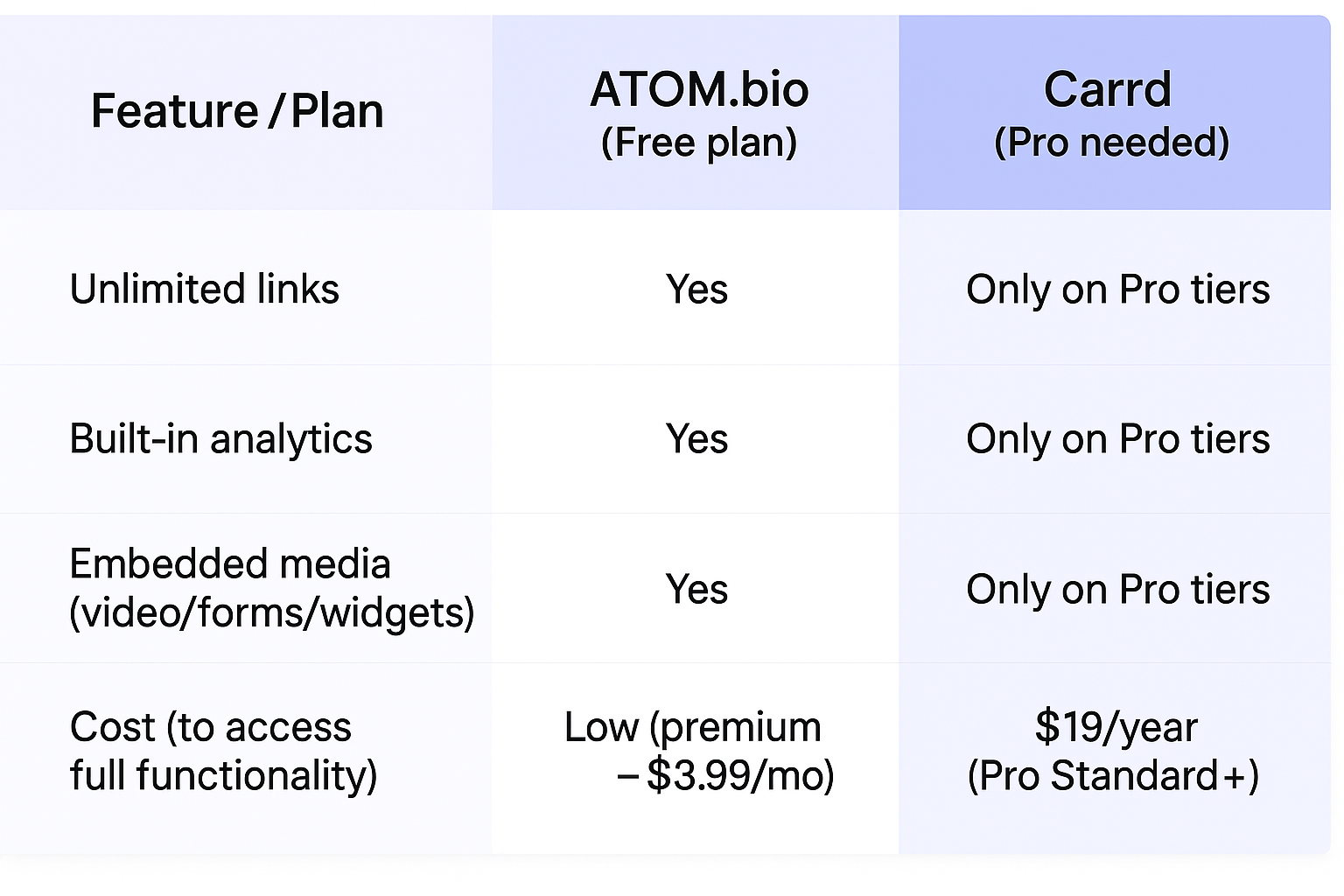
Carrd vs atom.bio at a glance
| atom.bio | Carrd (when I checked) | |
|---|---|---|
| What it is | Link in bio page and simple one-page website | One-page website builder |
| Free plan | All features, unlimited links; small ads on the page | Basic templates, Carrd branding |
| Templates | All free, by category | Most premium templates need Pro |
| YouTube, forms, widgets | Free | Forms, widgets and embeds on Pro Standard ($19/year) |
| Analytics | Built in and free: page views, link clicks, traffic sources, top links | Google Analytics on Pro Standard |
| Setup time in my test | Under 5 minutes | About 10 minutes |
| Own domain | Premium + Domain $96/year, domain registration included the first year | Pro Standard ($19/year) |
| Paid plans | $3.99/month or $29/year (removes ads, adds contact form email alerts) | Pro Lite $9/year, Pro Standard $19/year, Pro Plus $49/year |
How I tested Carrd and atom.bio
I built a link in bio page for Instagram and TikTok that tied together a few lifestyle accounts and an online shop. I wanted one page that matched the personal brand and showed which campaigns worked.
I gave myself one week to design and launch two pages, one on Carrd and one on atom.bio, with the same requirements:
- Quick setup
- An embedded YouTube video and a contact form
- Multiple links
- A design that matches the brand
- Built-in analytics
By the end of the week both pages were live, built under the same conditions, so I could see which tool met every requirement and how easily.
atom.bio: my result
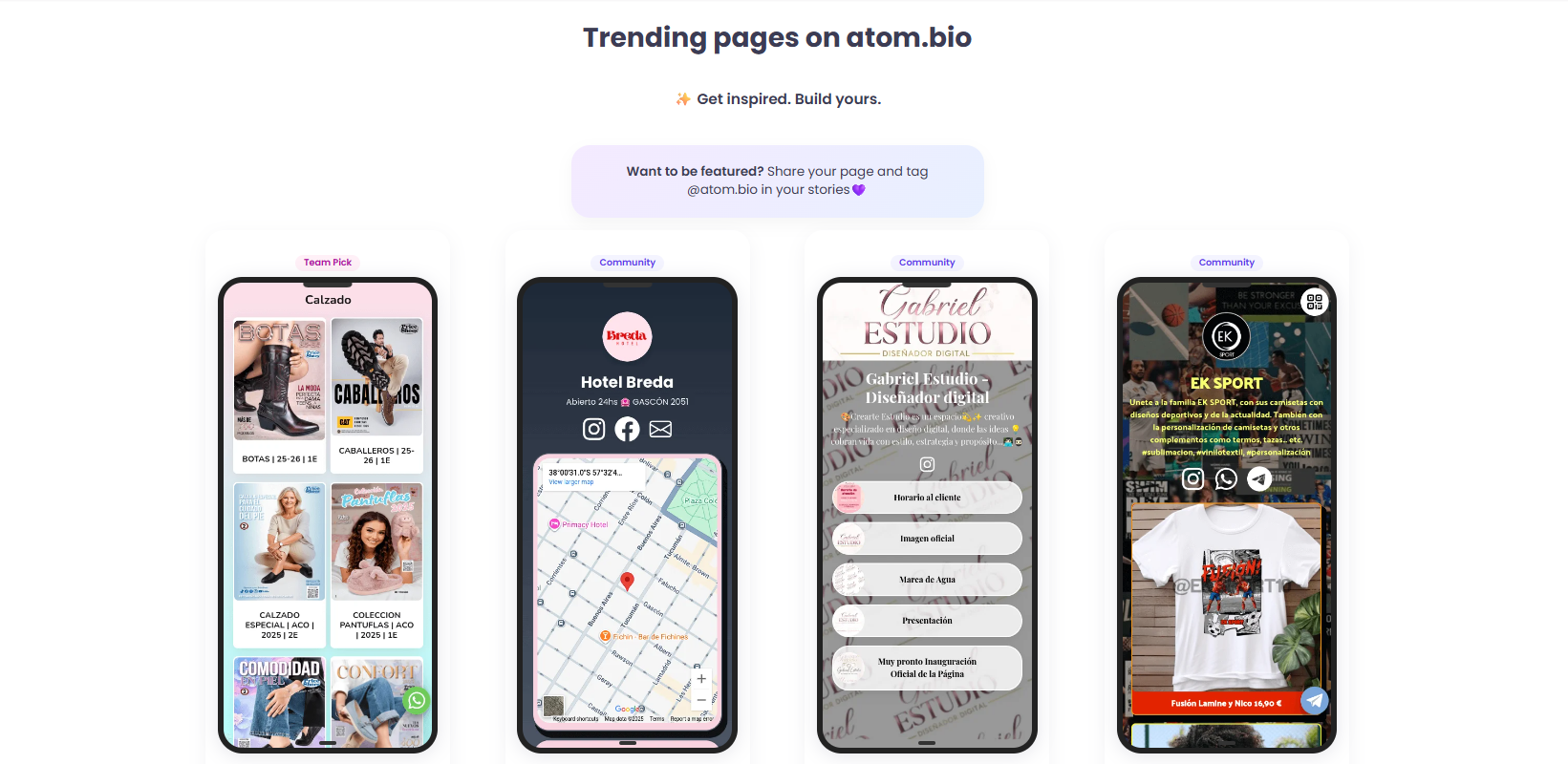
My favorite thing about atom.bio’s link in bio page is that you get unlimited links, full customization and analytics for free. You don’t pay for any of that; Premium is optional and removes the ads (it also emails you when someone fills in your contact form).
The second thing I liked was the setup.
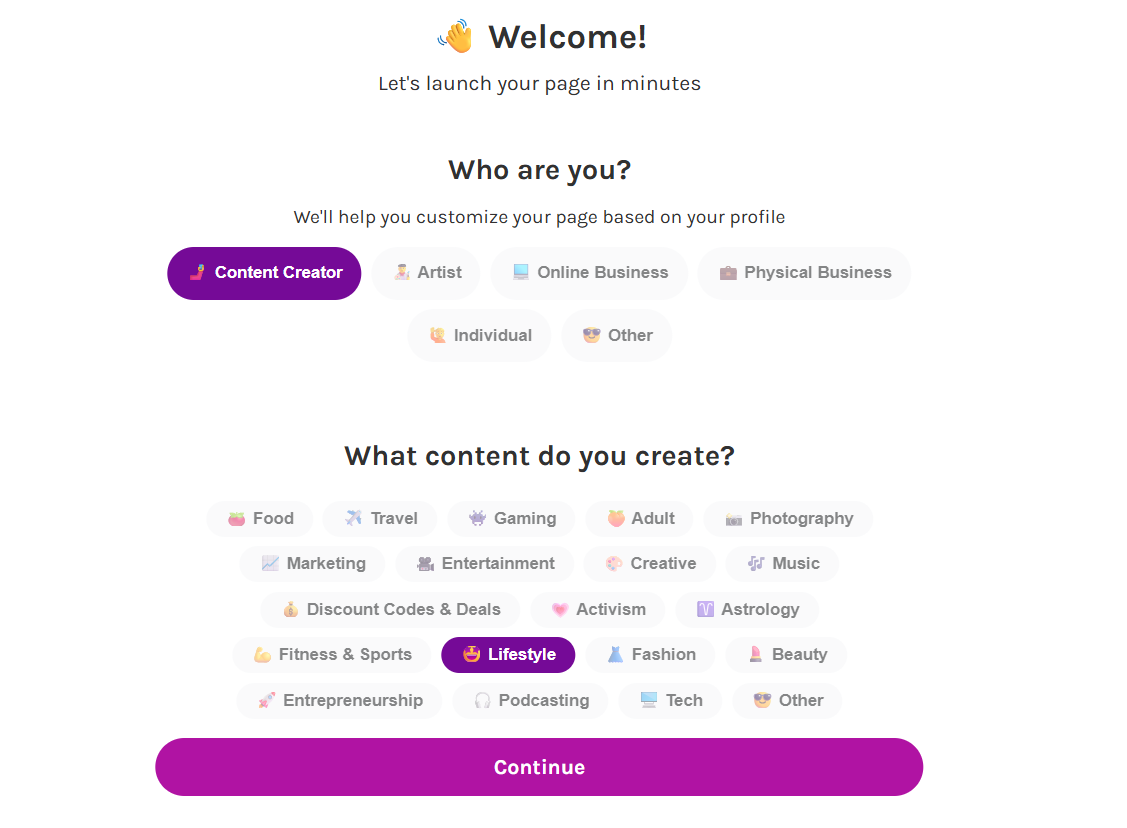
My page was ready in less than five minutes. You can pick a ready-made design or change every detail yourself, and you don’t need to browse templates unless you want to.
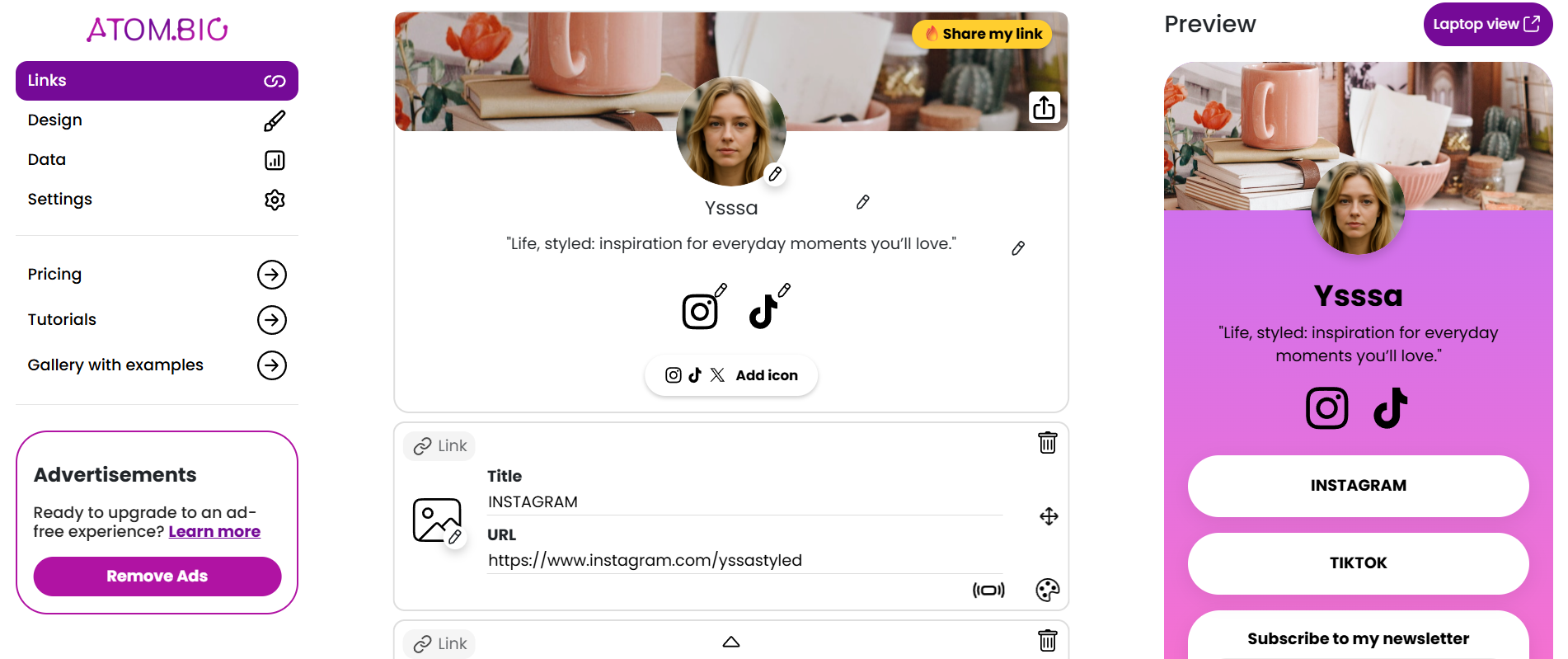
Besides links, you can:
- Embed YouTube videos
- Add a contact form so brands, fans and clients can reach you
- Add clickable images
- Show a photo carousel or gallery
- Add shop links or products with price and photo
- Collect emails and phone numbers
- Show your location on Google Maps, your opening hours or reviews
With so many blocks it can look busy at first, but the editor is clean, and the whole thing still took me under 5 minutes.
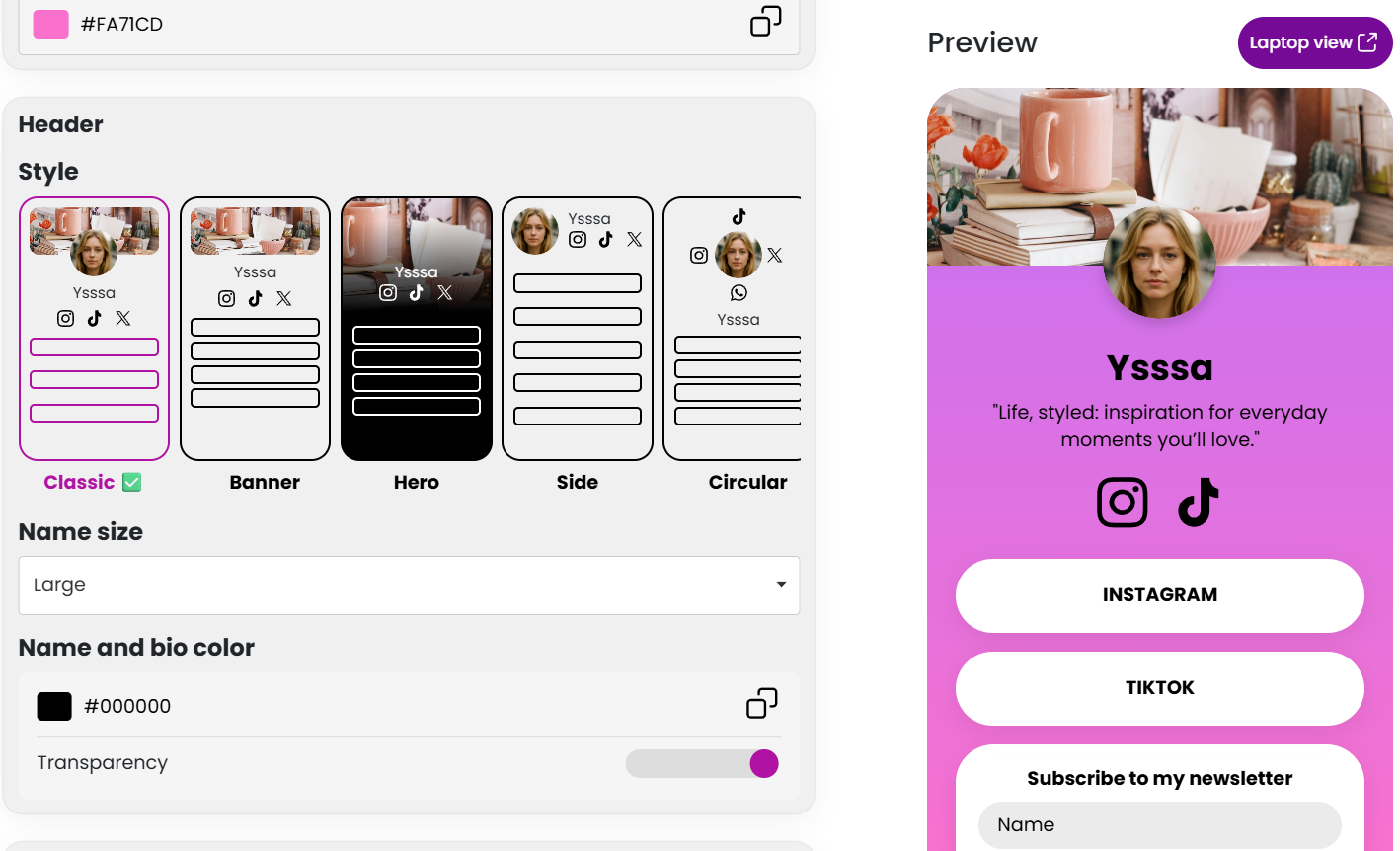
Getting started:
- Choose a template: atom.bio has templates by category (food, gaming, pets, entertainment, beauty and more), designed for each niche instead of one generic look.
- Upload your visuals: add the images you want for your background or banner.
- Add your content: links, buttons and blocks, styled your way.
- Go live: your page is ready to share, and you can keep tweaking it.
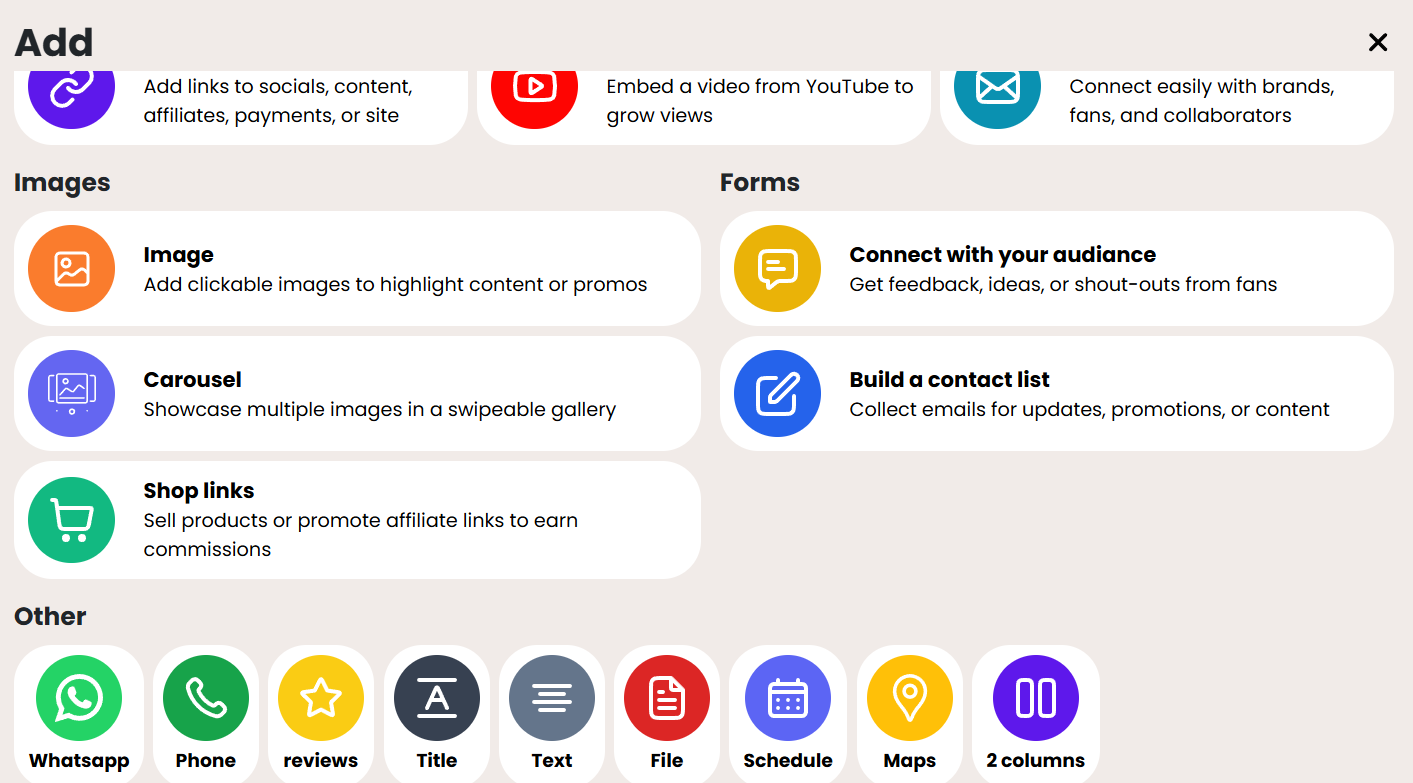
No coding is needed, and the editor works on your phone. I edited my page sitting on the train home.
Analytics: atom.bio shows which links get the most clicks, how many people view your page and where your traffic comes from. They’re easy to read even if it’s your first time looking at stats, and they helped me compare what I promoted each week. You get them without a premium plan; for comparison, Linktree’s free plan has basic analytics.
Ads: free atom.bio pages show small ads. Most of the time I didn’t notice them, and Premium removes them for $3.99/month.
Here are two real atom.bio pages with the kind of blocks I used:
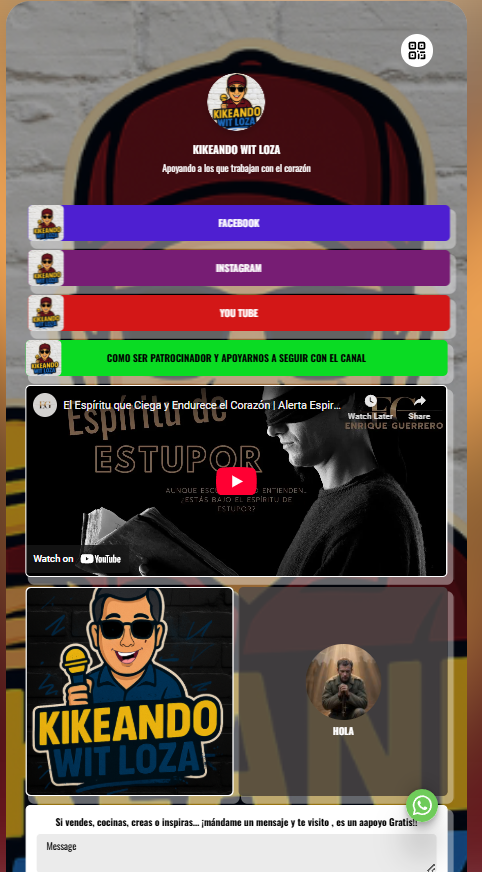
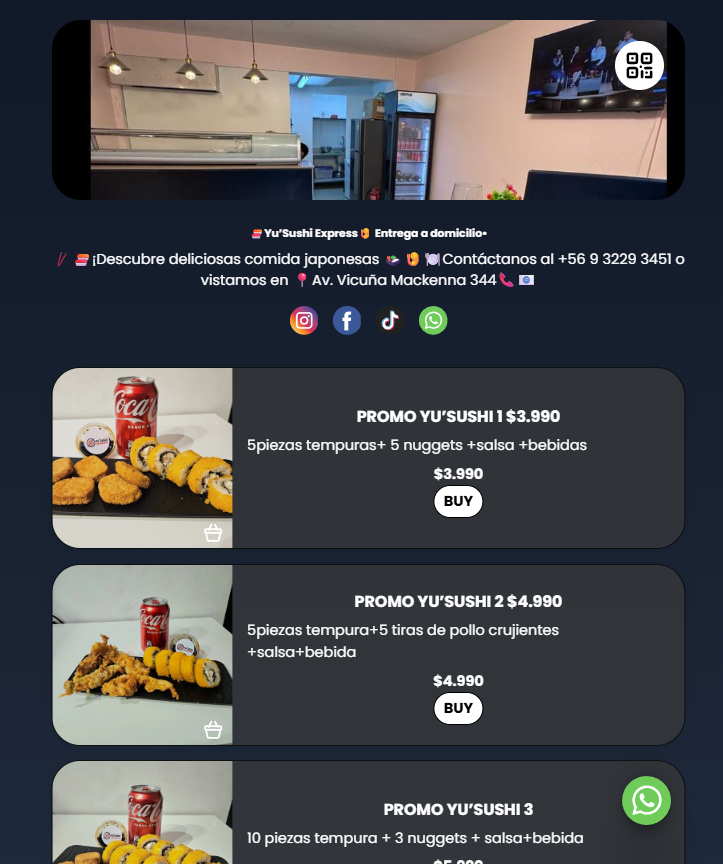
The first is Kikeando Wit Loza, a creator page with social buttons, an embedded YouTube video, an image grid and a contact form. The second is YuSushi Express, a sushi delivery business that uses its atom.bio page to show its promos with prices.
Carrd: my result
Setting up my link in bio on Carrd took more steps than on atom.bio, but it was enjoyable, especially if you like to customize everything. You don’t need to code, and you can start from a template.
Carrd link in bio templates
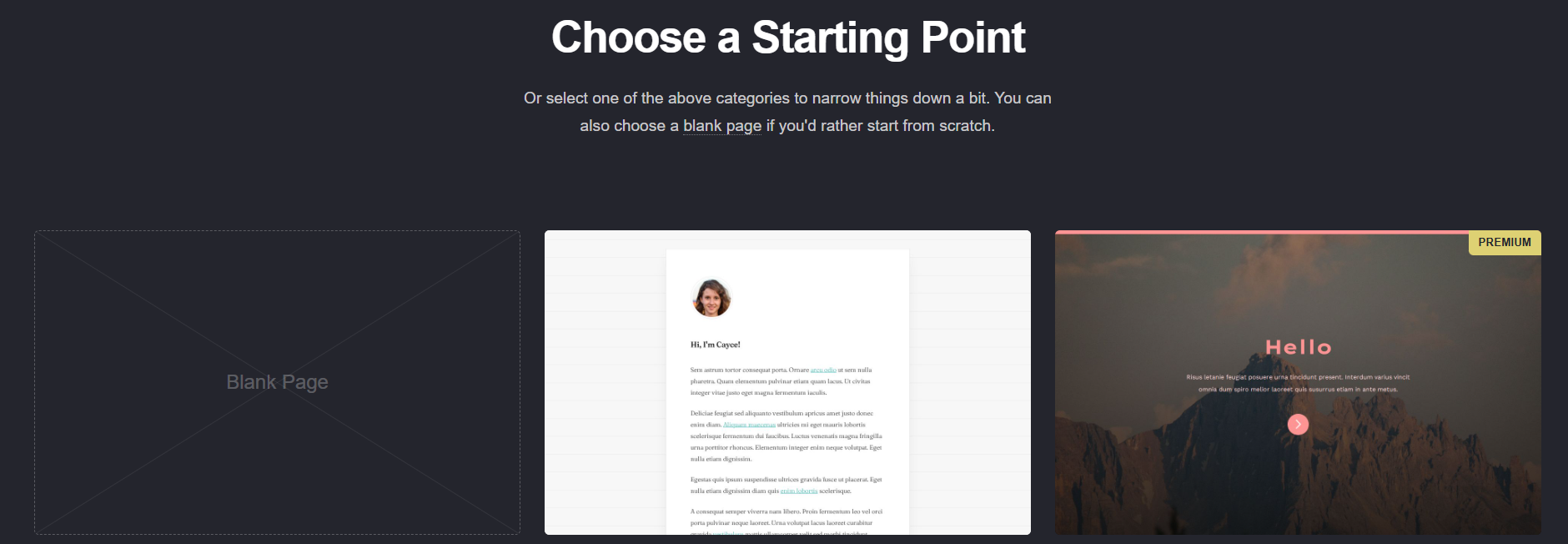
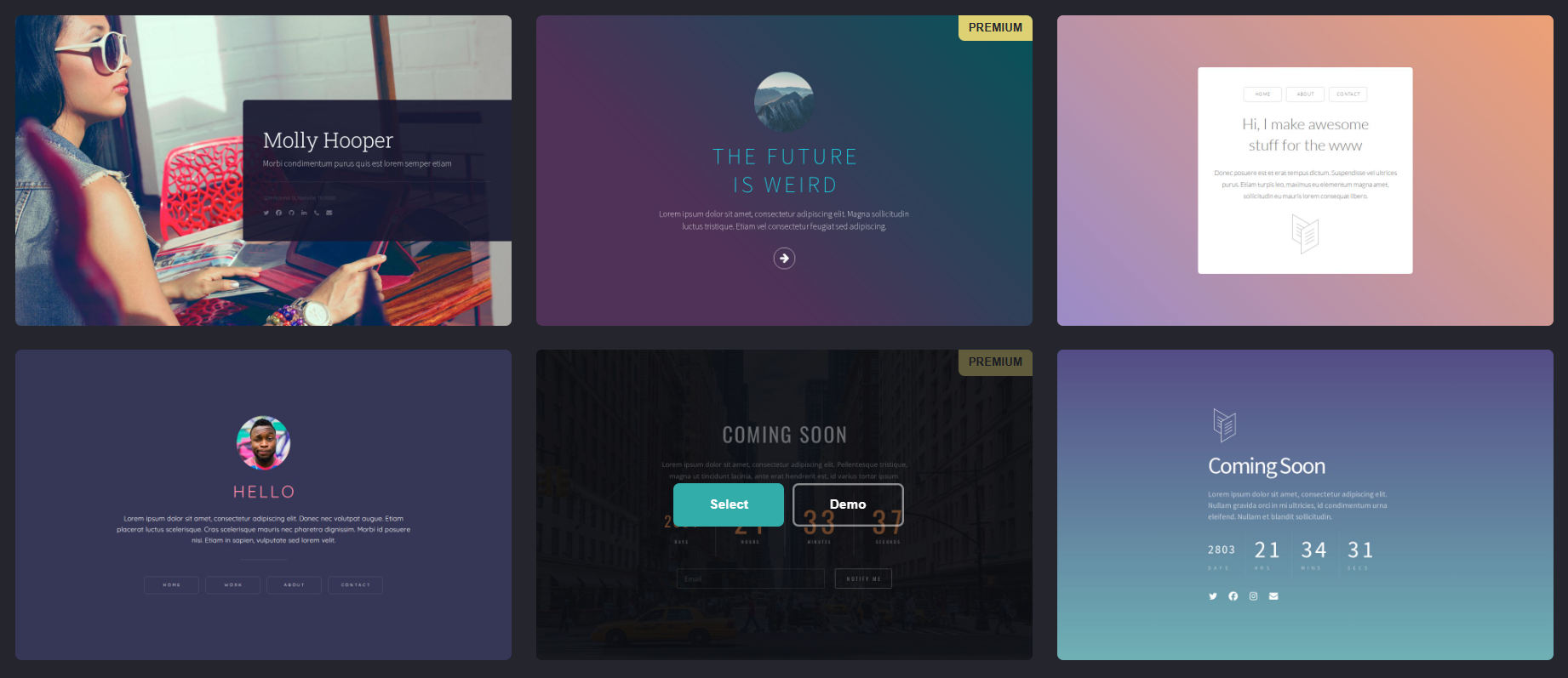
There are many designs, and I spent a while browsing them. What stopped me: most of the nicest Carrd templates are premium and need a Pro plan. To be fair, they’re beautiful and well made.
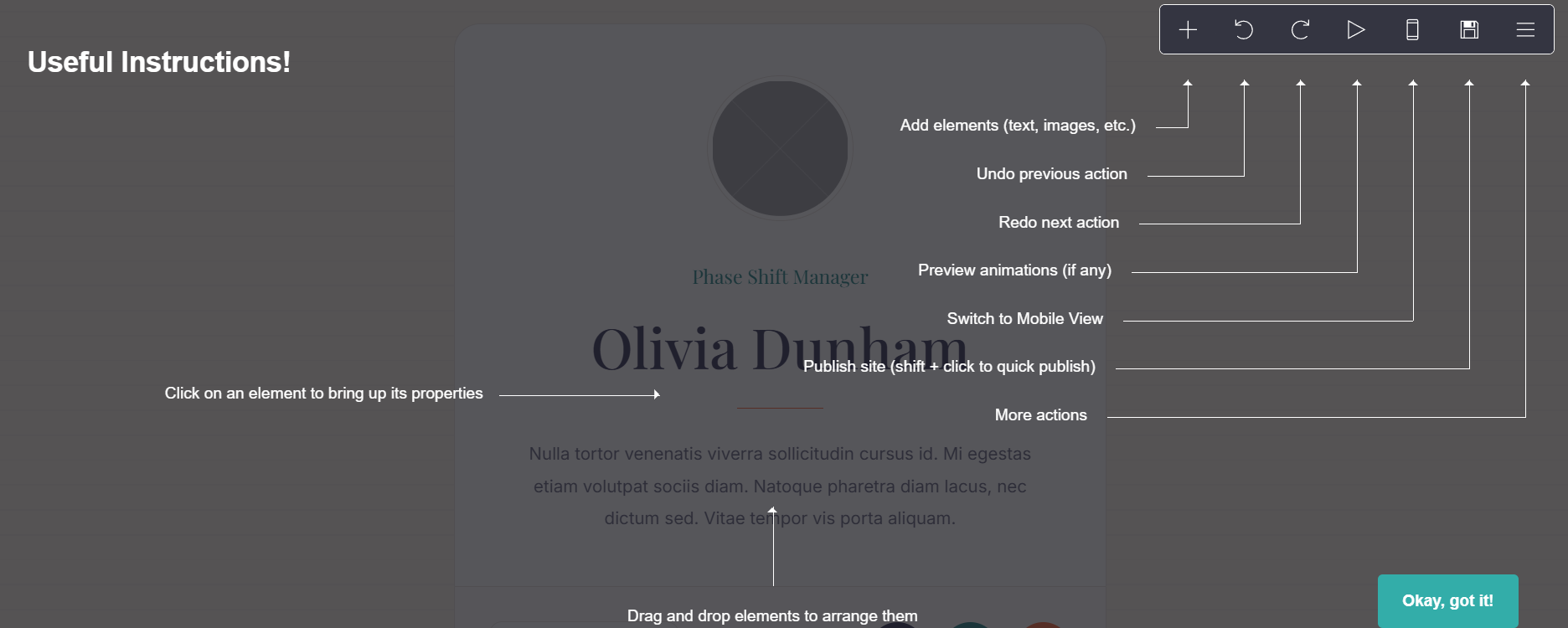
Once you pick a template, you can adjust fonts, colors, images, buttons and widgets, and switch between desktop and mobile views. Like on atom.bio, you can create more than one site, which is handy for a portfolio. Almost everything can be changed, from the header to the footer.
atom.bio took me under 5 minutes; Carrd took about 10, because I had more to edit.
Features on Carrd’s free plan
Carrd lets you add YouTube videos, contact forms, shop listings and more, but forms, widgets and embeds sit in the Pro Standard plan ($19/year). Getting my exact layout also took some workarounds.
The good news: Carrd stayed visually consistent. Colors, fonts and layout changes all looked professional without code. If you’re comfortable with CSS or embedding external widgets, you can stretch Carrd even further.
Analytics on Carrd
Carrd’s own stats felt basic to me. Its pricing table lists Google Analytics under Pro Standard, so for proper stats you need Pro and a Google Analytics account. If you only need a rough idea of visits, that may be enough; for a business, it feels like an add-on.
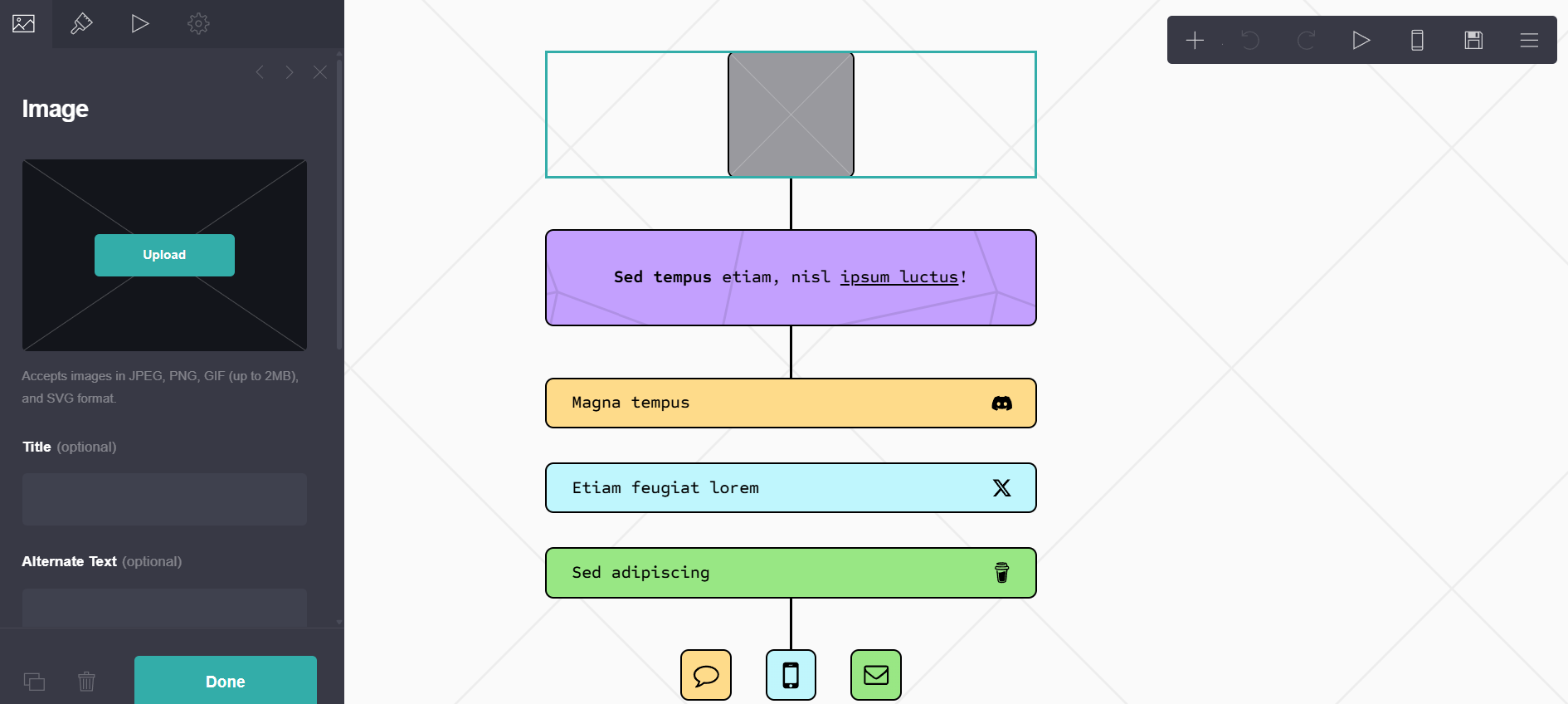
All in all, building a link in bio on Carrd is intuitive. It just takes more time if you go deep into customization, and Carrd has plenty of tutorials online if you want advanced results.
atom.bio and Carrd pricing
atom.bio pricing
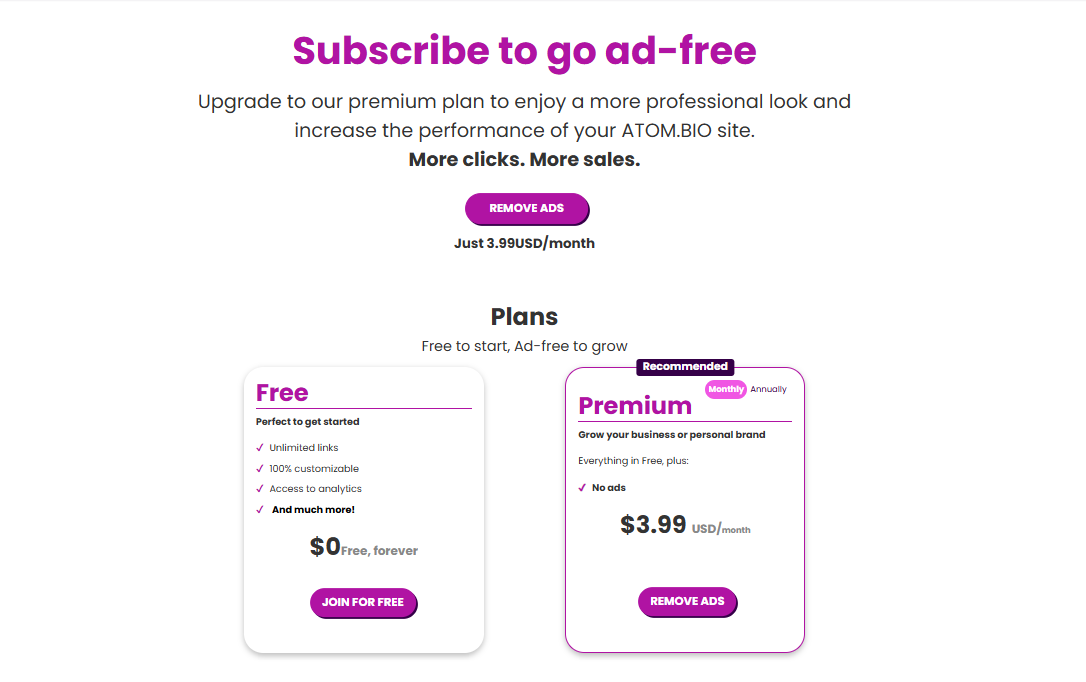
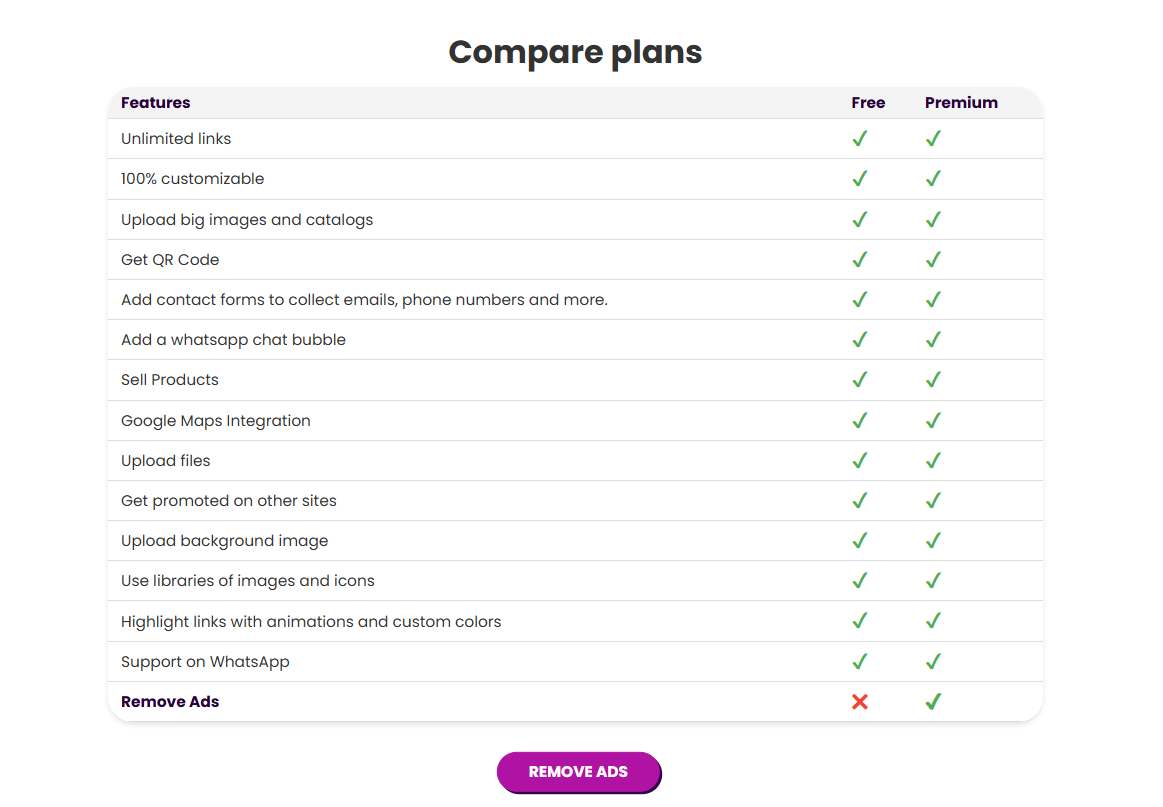
atom.bio’s free plan includes analytics, full customization and every block. Free pages show small ads.
Premium removes the ads and atom.bio banners and emails you when someone fills in your contact form, for $3.99/month or $29/year. If you want your own domain, Premium + Domain costs $96/year with the registration included for the first year. See the atom.bio plans.
Carrd pricing
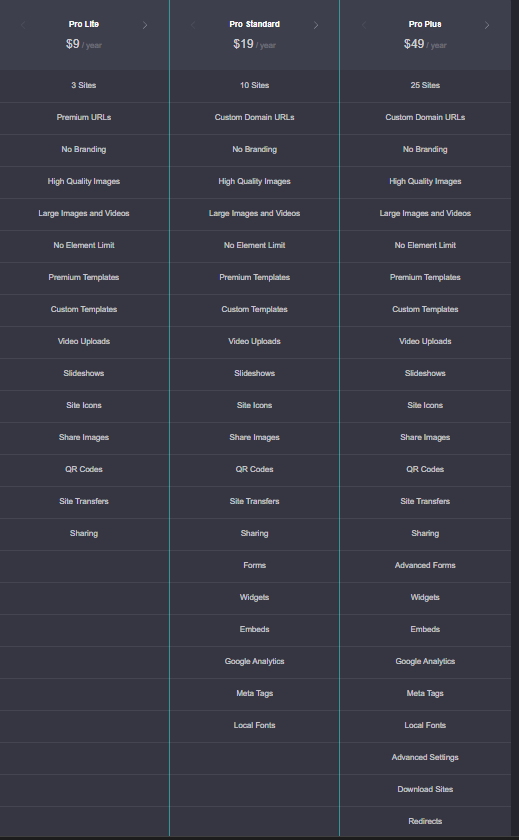
Carrd’s free plan lets you create a few simple sites with basic templates. The paid plans are:
- Pro Lite, $9/year: 3 sites, no Carrd branding, premium templates, video uploads, slideshows and QR codes.
- Pro Standard, $19/year: 10 sites, custom domains, forms, widgets, embeds and Google Analytics.
- Pro Plus, $49/year: 25 sites, advanced forms and settings, downloadable sites and redirects.
Carrd is cheap for what it does, and its plans are yearly only, which some people prefer to a monthly subscription.
Carrd alternatives for a link in bio page
If Carrd feels like too much work for a simple bio link, these are the alternatives I’d look at:
- atom.bio: every block free (links, videos, forms, products, maps, analytics), ready in minutes. Free pages show small ads.
- Linktree: the best-known tool, unlimited links on the free plan, but the Linktree logo stays unless you pay for Pro (about $15/month) or Premium.
- Lnk.bio or AllMyLinks: very simple lists of links with less design control.
For a bigger comparison, see the best link in bio tools. And if what you really want is a small website for your business, have a look at how to create a simple website with atom.bio.
So, what’s the verdict?
Both tools did the job, but the result was clear.
With Carrd I built a good-looking page, but I needed extra steps and a Pro upgrade for things like the embedded video, the form and analytics. Followers could find the links, but the page felt more functional than engaging.
atom.bio checked every box from the start. The page was up in a few minutes with links, a video, a form and other blocks, and I didn’t need to upgrade. Its analytics also showed me which campaigns worked.
Carrd is a clean, minimalist choice for people who want to design a one-page site. For a link in bio page that’s quick, complete and free, atom.bio is the Carrd alternative I’d pick.
Carrd vs atom.bio FAQs
Can I use Carrd’s free plan for a link in bio?
Yes. Carrd’s free plan lets you build simple one-page sites with basic templates and use one as a link in bio. The premium templates, forms, embeds, widgets, Google Analytics and removing the Carrd branding all need a Pro plan, from $9/year (Pro Lite) to $49/year (Pro Plus).
Are Carrd templates free?
Some are. Carrd has free basic templates, but most of its best-looking templates are marked as premium and need a Pro plan. On atom.bio all templates and design options are free.
What is the best Carrd alternative for a link in bio page?
If you want a link in bio page that’s quick to set up and doesn’t need a paid plan, atom.bio is a strong Carrd alternative: unlimited links, YouTube videos, contact form, products, Google Maps and analytics are all free, and free pages show small ads. If you want to design a full one-page website element by element, Carrd is still a great choice.
Is Carrd a link in bio tool or a website builder?
Carrd is a one-page website builder that many people also use as a link in bio. That’s why it gives you more layout freedom but needs more setup. atom.bio is built for link in bio pages first, and it also works as a simple one-page website for a business.
How do I add my Carrd or atom.bio link to Instagram or TikTok?
Copy your page address and paste it in the website or links field when you edit your profile. On Instagram, go to Edit profile and then Links. On TikTok, go to Edit profile and add it in the Website field (TikTok may require a business account or a minimum number of followers).
Step-by-step guides: how to share your link on Instagram and how to share your link on TikTok. For ideas on what to put on the page, see our Instagram link in bio guide.