Free QR code generator for any link
Paste a link below and your QR code appears instantly. Tap “Download QR” to save it as an image. It's free, there's no sign-up, and the QR code never expires because it points straight to your link. Free, fast & easy.

Create free QR code
How to make a QR code for your link
-
1. Copy your link
Your website, a WhatsApp chat link, your Instagram or TikTok profile, a menu PDF or your bio link.
-
2. Paste it in the box above
Your QR code appears as you type.
-
3. Download and test it
Tap “Download QR” to save it, then scan it with your phone camera to test it before you print it.
🎯 Want an even better way to share your links?
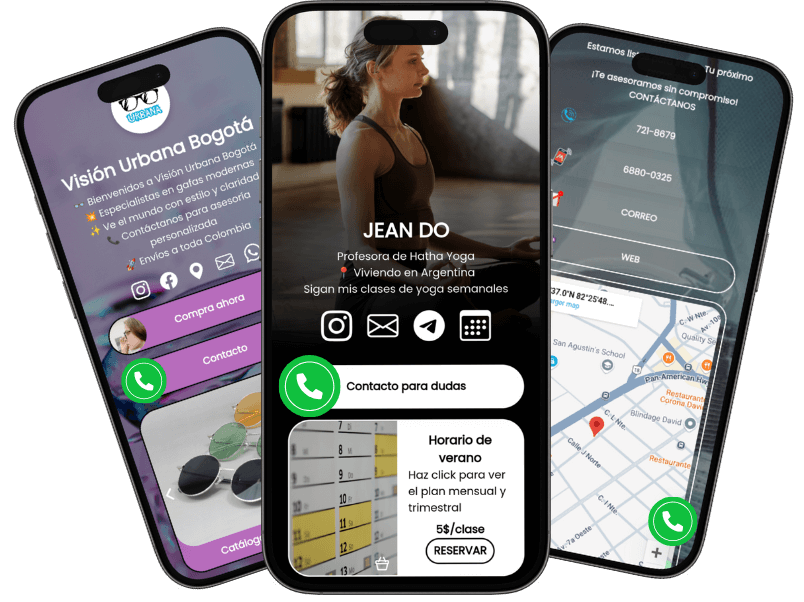
With atom.bio, you can create a personalized landing page where all your links live together. And you can share them all with a single QR code!
Perfect for WhatsApp, social media, business cards, and websites.
Why use a QR code instead of just a link?
🚀 Make your links work smarter with QR codes: Faster sharing, better branding, and more engagement – all with a simple scan.
-
🔍 Easier sharing
No more manually typing links.
-
🚀 More engagement
People scan QR codes more often than clicking links. Boost interactions & sales.
-
⭐ Professional look
A sleek QR code gives your personal brand or business a modern and trust-worthy look.
-
🎯 Offline-to-online connectivity
Connect flyers, posters, menus or business cards to your website, your WhatsApp or your atom.bio page.
Why settle for one link when you can share them all?
A QR code is great for sharing one link, but atom.bio lets you create a professional landing page where you can add multiple links, WhatsApp chat buttons, social media, and track visitor clicks.
| Feature | QR | atom.bio |
|---|---|---|
| Share a single link | ✅ | ✅ |
| Customizable page with multiple links | ❌ | ✅ |
| Track how many people click | ❌ | ✅ |
| Add social media & WhatsApp chat buttons | ❌ | ✅ |
| 100% free | ✅ | ✅ |
QR code generator: frequently asked questions
Yes, 100% free. You don't need to sign up, there's no limit on how many QR codes you make, and there's no watermark.
A QR code is a scannable barcode that opens a link. Point a phone camera at it 📱 and the link opens automatically.
Yes. Paste your WhatsApp link (for example https://wa.me/yourphonenumber) and the generator creates a QR code that opens a chat with you. Don't have the link yet? Make it with our free WhatsApp link generator.
No. These QR codes point straight to your link, so they stay active forever and can be scanned unlimited times, as long as the link itself keeps working.
Yes. Once you download it, your QR code works printed or on any screen without internet. The person scanning it needs an internet connection to open the link.
A QR code can't be edited after you create it. If you used the wrong link, generate a new QR code with the correct link. Tip: point your QR code to your atom.bio page, and you can change the links on the page anytime without reprinting.
Yes. Every atom.bio page has its own QR code that you can download from your dashboard. One scan opens your page with all your links, WhatsApp, menu or contact options. See how a QR code landing page works.
A QR code is great for sharing one link. atom.bio lets you create a free page where you add multiple links, WhatsApp chat buttons and social media, and track how many people visit and click. Every scan of your page's QR code counts as a visit in your free stats, with the country, city and time of day. Scans are grouped with direct visits under "Direct link or QR", so the stats can't tell a scan apart from someone typing your link.
Yes. You can create a QR code for each link with this free generator, or use the single QR code of your atom.bio page.