Best setup for creators
If people follow you for content, put one featured video, newsletter, or main offer first. Do not make them search through every platform and every link.
If your account is creator-led, compare this with the creator guide.
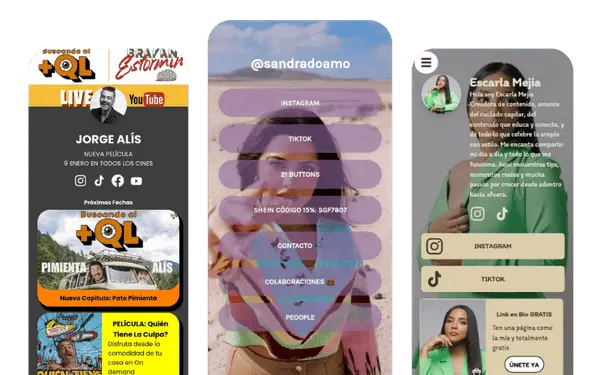
Instagram lets you add up to 5 links to your profile. You add them from Edit profile, then Links, then Add external link. But more links do not automatically mean more clicks. What matters most is what goes first, how clearly it is labeled, and whether the page behind it matches what visitors expected to see.
Quick answer
Your Instagram bio link is the part of your profile that sends people out of Instagram to your website, store, booking page, WhatsApp, or link in bio page.
That tap is small, impatient, and high intent. If it lands on a broad homepage or a page with too many choices, many visitors will not take the second step.
If you want the broader overview first, see the main link in bio guide.
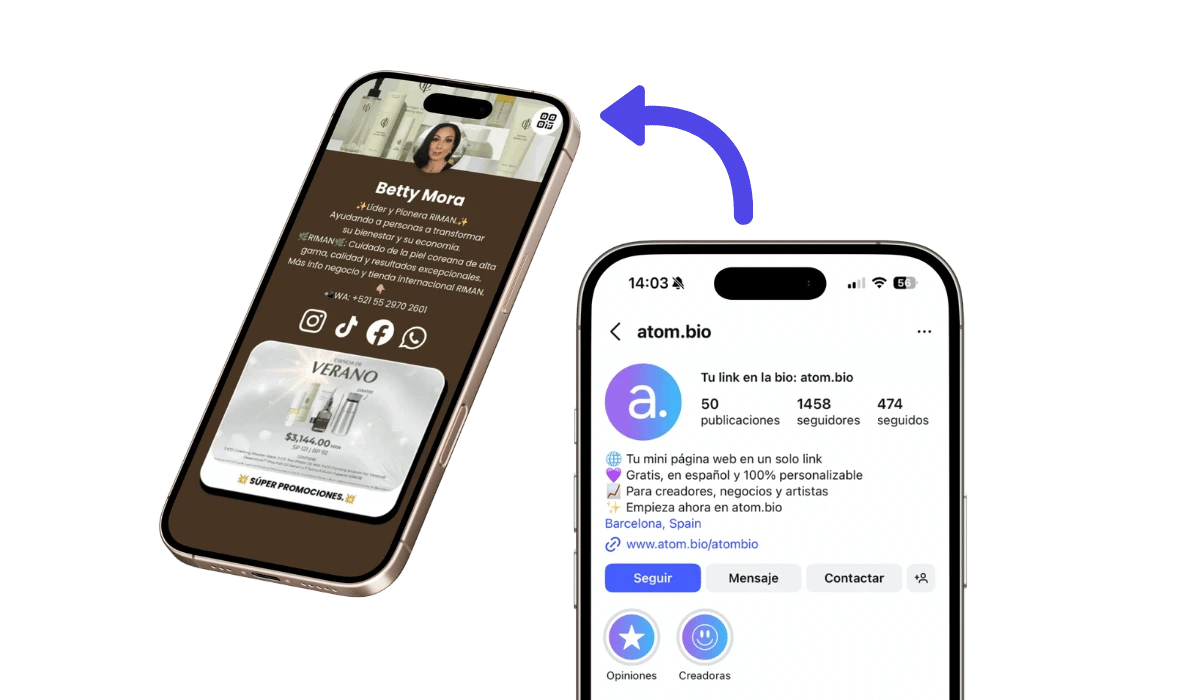
Instagram now allows up to 5 websites on your profile. That removed the old one-link limit, but it did not remove the harder question: what should people tap first?
More links do not fix weak prioritization. When every option looks equally important, the extra links add friction instead of helping.
| Scenario | 5 native Instagram links | One focused link in bio page |
|---|---|---|
| Simple brand profile | Enough | Optional |
| WhatsApp-first business | Weak | Better |
| Bookings or appointments | Can work, but less guided | Better |
| Products, reviews, map, proof | Too fragmented | Much stronger |
In practice, 5 Instagram links are enough when visitors already know where they want to go. They are not enough when the profile has to guide the decision. If people need context, trust, product browsing, or one obvious next step, a single focused page works better than five separate options.
If visitors already know exactly where they want to go, Instagram's native links are enough. If they still need guidance, proof, or context, a focused page converts better.
There is also a visibility issue. Instagram may show one main link first and hide the rest behind a see more interaction. That is another reason a focused page can work better when order, one clear next step, or seeing what people click most matter.
Adding the link is easy. Choosing the right destination is the harder part.
Open the Instagram app and go to the account where you want the profile link to appear.
Tap your profile so you can edit the public profile visitors see.
Open the profile editor where Instagram lets you change your bio, buttons, and links.
Inside the profile editor, open the Links section.
Paste the URL you want to use and give the link a clear name that tells people what happens after they tap it.
Save the change, open your profile again, and make sure the first visible action is the one you most want people to tap.

Instagram's path can change slightly by app version, but the links live in the profile editing area. After adding them, check the order again on mobile so the first visible action still matches the reason people came to your profile.
Creators should lead with content and audience capture: a featured video, a newsletter, or the main offer. Collaboration contact and store links belong underneath, not in the top spot.
Best first action: featured content, newsletter, or current offer.
If your page is creator-first rather than business-first, compare this with the creator guide and real published pages in the gallery.
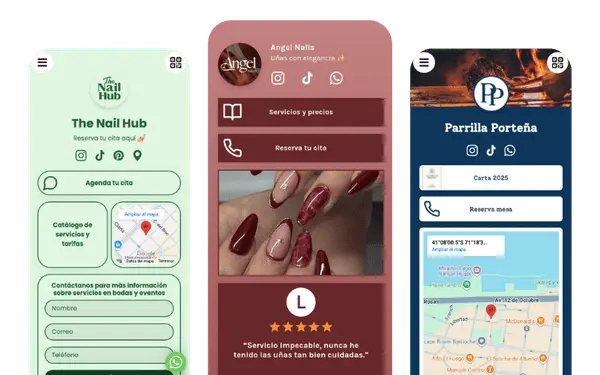
Local businesses should lead with the action that turns profile traffic into a customer: Book appointment or WhatsApp. Map, reviews, and prices help, but they support the decision rather than start it.
Best first action: booking or WhatsApp.
If messages are the main next step, review link in bio with WhatsApp. If the whole profile works like a local business front desk, compare it with link in bio for small business.
Service profiles should reduce doubt fast and make the inquiry path obvious. Lead with the main service or result, then the contact action, then proof.
Best first action: contact action (WhatsApp or form) with proof right below.
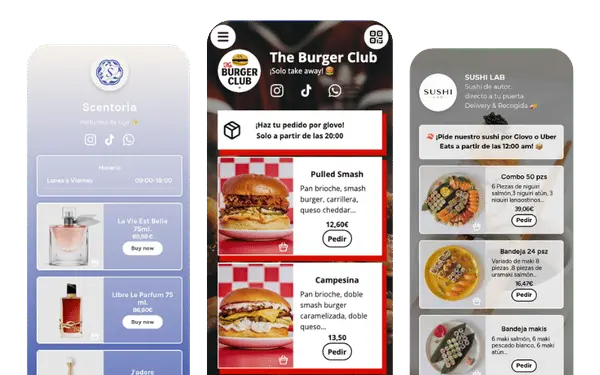
If the tap came from one product or one collection, show that first and make the buying path obvious. Ecommerce profiles usually do not need more links. They need a clearer product order and a shorter path to purchase.
Best first action: featured collection or best-selling product.
If the profile is product-led, compare this setup with real published pages in the gallery.
Personal brands should lead with authority and offer: who you help, what the main offer is, and where the visitor should go next. The first button should point to the offer, booking link, or newsletter, not a vague Website label.
Best first action: main offer, booking link, or newsletter.
If you are looking for Instagram bio ideas, link in bio ideas for Instagram, or Instagram link page examples, start with a simple structure that matches what people expect after they tap. These are three strong starting points that also help if you are comparing the best link in bio for Instagram.
If people follow you for content, put one featured video, newsletter, or main offer first. Do not make them search through every platform and every link.
If your account is creator-led, compare this with the creator guide.
If the profile is for a local business, service, or appointment flow, put Book now or WhatsApp first. Then add reviews, map, and prices underneath.
If that is your case, review link in bio for small business or link in bio with WhatsApp.
If people tap because of a product, show that product or collection first. Add price, offer, reviews, and the buying path right below it.
If you want more product-led Instagram examples, review real published pages in the gallery.
| Scenario | Homepage | Simple link page | Full conversion page |
|---|---|---|---|
| Simple brand site | Enough | Optional | Useful only if you still want one cleaner page for a specific offer or next step |
| Booking or service profile | Too broad | Better if you only need one main booking or contact action | Strongest when you want booking, forms, reviews, maps, pricing, and contact on one clearer page |
| WhatsApp-first business | Weak | Good if the only goal is one visible chat button | Better when WhatsApp needs support from prices, proof, forms, maps, or product highlights |
| Creator or personal brand | Can work, but often too broad | Good fit | Best when you want one page with featured content, products, offers, or a contact form together |
| Ecommerce | Works if store browsing is already clear | Good for one collection or one simple path | Useful when you need products, offers, reviews, WhatsApp, or a clearer buying path in one place |
If your homepage already gives visitors one obvious next step, use it. If not, the real question is not only homepage vs link in bio. It is whether you need a simple link page or a fuller conversion page with more context and a clearer path. For service and local-business profiles, this is usually closer to the small-business setup.
This is where a fuller link page can work more like a compact mini-site: products, forms, reviews, maps, booking, WhatsApp, and catalog-style browsing in one place without forcing people through a full homepage.
In many cases, you do not have to choose one or the other. The link in bio page can organize Instagram traffic, and one of its links can point to the full website when visitors want more detail.
A focused page also makes it easier to see what people click most. If you want to compare which offer or button gets more taps, a dedicated page is easier to review than a stack of separate native links.
Create your Instagram link page| Weak label | Stronger label | Why it works better |
|---|---|---|
| Website | Book now | People understand the next step immediately. |
| More | View prices | It tells visitors exactly what they will see after tapping. |
| Contact | WhatsApp us | It names the contact channel instead of making people guess. |
| Shop | Shop new arrivals | It gives a clearer reason to tap than a generic shop label. |
| Info | View services | It sounds specific and useful, not vague. |
The best link names sound like buttons a real customer would want to press. If the label is so broad that it could mean anything, it gets ignored.
Good link titles: Book now, View prices, WhatsApp us, See menu, Shop now, View services, Get quote, Latest video.
Instagram currently allows up to 5 websites on your profile. That is enough when the path is simple, but it stops being enough when visitors need one clear route to messages, bookings, products, or proof.
Visitors see it on your Instagram profile below your bio and profile details. To edit it, open your profile, go to Edit profile, then Links, then Add external link.
Only if the homepage already gives visitors one obvious next step. If it spreads attention across menus and multiple paths, a clearer focused page works better.
Yes. Many profiles use one native link for the main decision-making page and keep the remaining links for simpler destinations that do not need explanation.
For most small businesses, the best setup puts booking or WhatsApp first, then reviews, location, and pricing underneath to support the decision.
Use multiple native links when visitors already know where they want to go. Use one focused page when the profile needs to guide the decision instead of showing several links that compete for the same click.
Start with the action that matters most, then add only the supporting elements that make that action easier: products, reviews, location, prices, bookings, or contact.
Use short labels that describe the action clearly, such as Book now, View prices, WhatsApp us, or Shop now. People are more likely to tap labels that describe the next step than labels that force them to guess.
If your profile needs more than a short list of links, build one page that leads visitors toward the action that matters most and keeps everything else in support of that click.
Create your free link in bio