WhatsApp link in bio: when to use a page instead of a direct link | atom.bio
WhatsApp link in bio setup

WhatsApp link in bio: when to use a page instead of a direct link

A direct WhatsApp link opens chat, but it does not prepare the conversation. If people need to see pricing, choose between order and support, or understand the next step before they message, a WhatsApp-first page usually works better. The goal is not to open WhatsApp faster. It is to help the right conversation start better. This guide explains when a direct link is enough, when it falls short, and how to structure a page that leads to better chats.

Quick answer

  • Use a raw WhatsApp link when one fast generic conversation path is enough.
  • Use a WhatsApp-first page when people need context, browsing, or the right chat route before they message.
  • One page can support different WhatsApp actions for orders, reservations, support, and quote requests.
  • A direct link opens chat. A WhatsApp-first page helps open the right chat.

If you only want a direct wa.me link or a prefilled WhatsApp message, use the WhatsApp link generator.

When a raw WhatsApp link is still enough: one product or one service, one type of inquiry, almost no explanation needed, and speed matters more than qualification.

WhatsApp page basics

What is a WhatsApp link in bio page (and how is it different from a direct WhatsApp link)?

A WhatsApp-first link in bio page is not just a button that opens chat. It is a page designed to prepare, route, and improve the conversation before it starts.

That is why it is different from a raw WhatsApp link. A full page can show products, services, reviews, prices, map details, or several WhatsApp actions before the person enters chat.

Use the generator when you only need a direct WhatsApp link or one prefilled message. Use this kind of page when you need structure, better routing, or a clearer WhatsApp button in bio.

If you only need the direct chat URL, create it with the WhatsApp link generator. If you want the broader overview first, start with the main link in bio guide.
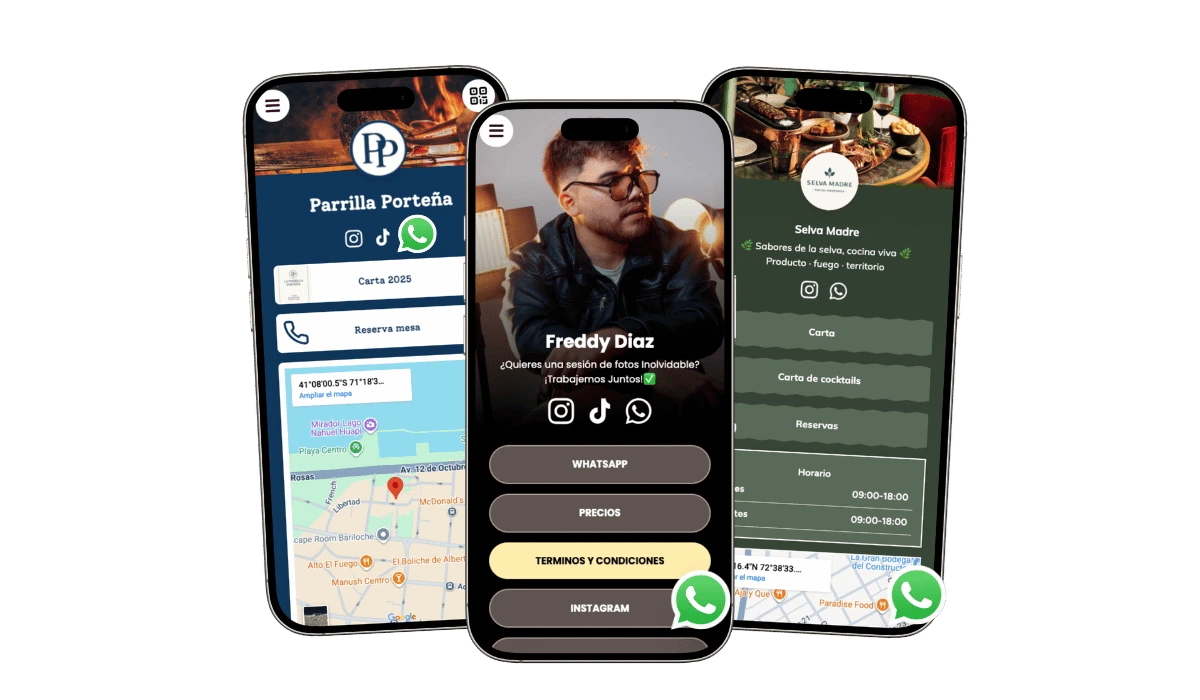
Example of a WhatsApp-first page that prepares visitors before chat starts
The goal is not only to open chat fast. The goal is to open the right conversation from a stronger starting point.
Before vs after

Before vs after: raw WhatsApp link vs structured page

Conversation start Raw WhatsApp link WhatsApp-first page
First message Hi Hi, I want product X in size Y
Price question Price? Is this available today and what is the delivery time?
Intent clarity Mixed and random Intent-driven routes for order, booking, support, and quote
Operations impact More repetitive manual replies Lower repetition and faster team response
When one link is not enough

When is one generic WhatsApp link not enough?

  • When one business has multiple conversation types Reservations, orders, support, pricing questions, and quote requests should not always start from the same generic message path.
  • When people need to browse before they message If visitors need to see products, service options, pricing clues, or proof first, a raw chat link asks them to message too early.
  • When one prefilled message does not fit every inquiry A page works better when different actions need different WhatsApp buttons, numbers, or starting messages.
  • When you want fewer low-quality chats Good context before chat usually reduces repetitive questions and leads to better-qualified conversations.

Best mental model: A raw WhatsApp link opens one chat. A WhatsApp-first page helps people choose the right chat and ask better questions from the start.

Why most links fail

Why most WhatsApp links fail for businesses

  • People message without context A raw link opens chat before visitors understand products, prices, availability, or process.
  • Teams answer the same questions all day Without context before chat, businesses repeat basic answers that should already be on the page.
  • There is no qualification before chat Businesses receive low-intent conversations mixed with high-intent buyers in the same channel.
  • Different intents are forced into one chat path Orders, support, reservations, and quote requests need different starting routes.

Business impact: This is not only a UX issue. It increases support load, wastes time, and reduces the chance that each chat turns into a real outcome.

Conversation quality

How a WhatsApp-first page improves conversation quality

  • Better first messages People arrive with product, service, booking, or quote context instead of sending only Hi.
  • Faster conversion paths Structured routing reduces unnecessary steps before order, booking, or payment decisions.
  • Less support overload Common questions are handled on-page, so teams spend less time repeating the basics.

A WhatsApp-first page helps the right conversation start with better context instead of sending every visitor into the same empty chat.

What the page can do

What can a WhatsApp-first page do that a raw link cannot?

  • Show context before chat Explain the offer, show pricing clues, reduce doubt, and help visitors understand why they should message now.
  • Route people by intent One page can send people to different WhatsApp actions for orders, reservations, support, or custom quotes.
  • Support browsing before messaging Visitors can look at products, featured services, or reviews before they open the conversation.
  • Improve the starting quality of chats When people arrive with more context, the first message is usually clearer and more useful.
  • Keep chat available while people browse A floating WhatsApp chat can stay visible while the page still handles trust, product selection, or next-step guidance.
Different chat paths

One page, different WhatsApp intents

Most visitors do not think in neat categories like orders, support, or quotes. They think in concrete actions like: Order this item, Ask about availability, Book now, Get a quote, or Support.

Reservations and appointments

This works when the visitor needs to choose a service, see opening details, and then open the booking conversation.

Orders and product inquiries

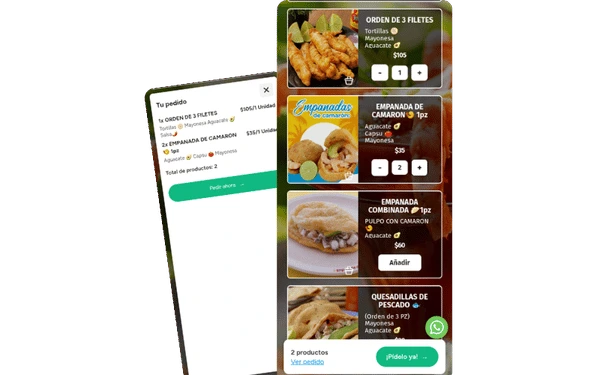
This works when people need to browse a few products first and then message from the right order or inquiry path.

Support and quote requests

This works when the business needs a different chat entry for help, technical questions, or custom pricing.

Example button labels that reduce confusion: Order this item, Check availability, Book for tomorrow, Request quote, and Technical support.

Products before chat

When should products lead into WhatsApp?

  • When people need to browse before they message A product block often works better than a generic chat button when visitors still need to decide what they want.
  • When different products need different WhatsApp actions This is especially useful for custom orders, availability questions, delivery requests, or product-specific inquiries.
  • When ordering starts in chat If WhatsApp is the real order path, the page should help people choose first and message second.

If products are central to the page, compare it with a product-focused link in bio page or, if people need deeper browsing before chat, with a digital catalog.

Concrete outcome: a product block can turn Hi, I'm interested into Hi, I want product X in size Y or Hi, is this item available? before chat even starts.

Main CTA vs floating chat

Should WhatsApp be the main button, floating chat, or both?

  • Use WhatsApp as the main CTA when messaging is the main goal If the page exists mainly to generate chats, the first visible action should clearly point to WhatsApp.
  • Use floating chat when browsing still matters Floating chat works well when the page still needs to show products, proof, or service details while keeping chat available.
  • Use both when the page needs one clear CTA and ongoing access to chat This works well when you want a strong WhatsApp CTA near the top and a floating button while people continue scrolling.

If the page needs to collect more structured lead detail before chat, compare this with when lead qualification matters more than speed, use a link in bio with form.

Rule of thumb: if visitors need to browse first, use floating chat as support. If messaging is the page's only real goal, make WhatsApp the first main CTA.

How to build it

How should you build a WhatsApp-first page?

  1. 1

    Decide whether you need one WhatsApp action or several

    If orders, reservations, support, and quotes are different, do not force everything into one generic chat button.

  2. 2

    Put the main chat path early

    If messaging is the primary goal, the first strong CTA should appear early and be visually more important than the other actions.

  3. 3

    Add only the information that stops repetitive chat questions

    Use short product blocks, service summaries, prices, reviews, or opening details so people do not ask the same basic questions in every new chat.

  4. 4

    Keep proof and secondary CTAs in a support role

    Reviews, forms, maps, or booking links can help, but the page should still make the main WhatsApp route easy to understand.

  5. 5

    Use clear prefilled messages for each intent

    Do not reuse one generic text for every button. Use a specific message for orders, appointments, support, and quotes so the first chat line already has useful context.

  6. 6

    Test on mobile before publishing

    Open every WhatsApp button from your phone, confirm the number format, and verify that prefilled text appears correctly.

Message and button examples

WhatsApp button labels and prefilled messages that are easy to understand

Most confusion starts with vague labels like Contact us. Use concrete labels plus clear prefilled messages so people tap the right button and send a useful first line.

Button label Good prefilled WhatsApp message
Order this item Hi, I want to order Product X. Is it available today?
Book appointment Hi, I want to book for tomorrow afternoon. What times are free?
Request quote Hi, I need a quote for this service. My budget range is ...
Technical support Hi, I need help with my current order. My reference is ...

Beginner tip: Use international format in your WhatsApp URL: country code + number, no spaces or symbols.

Troubleshooting

Common WhatsApp link issues and quick fixes

  • The link opens but no prefilled message appears Check that your message text is properly encoded and test from mobile and desktop. If needed, regenerate the link in the WhatsApp link generator.
  • The button opens the wrong chat number Confirm country code and number format. Remove spaces, plus signs, and punctuation in the URL number path.
  • Visitors get lost between too many buttons Keep one primary WhatsApp action at the top and move secondary actions lower. Clear hierarchy usually improves click quality.
Best layouts

What kind of WhatsApp-first layouts work best?

Reservations-first layout

Best for salons, clinics, restaurants, and local services that need a fast booking conversation with enough detail before the visitor messages.

For the broader business structure around this, compare with the small-business version.

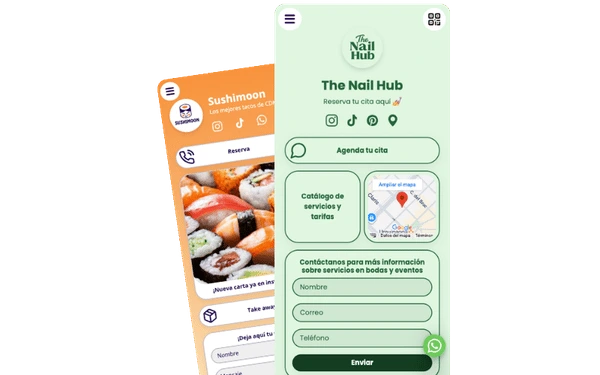
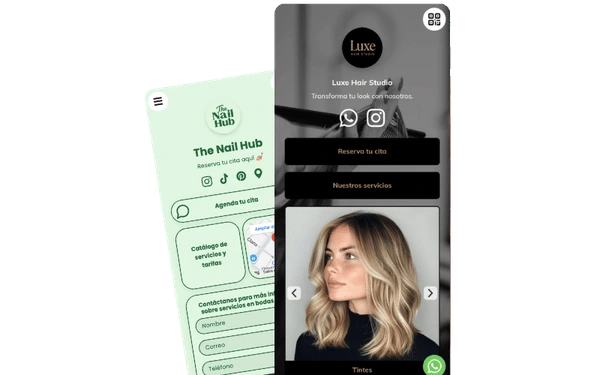
Example of a reservations-first WhatsApp page
This works when the visitor needs enough confidence to book, not just enough speed to tap.

Catalog into WhatsApp order layout

Best when people should browse featured products first and then move into the right WhatsApp order or inquiry path.

If the product side gets deeper, compare this with a product-focused page and a digital catalog.

Example of products that lead into WhatsApp order flows
This is stronger than one generic chat link when visitors still need to choose before they message.

Quote-request layout

Best for custom services, higher-ticket offers, and businesses that need to separate quote requests from general support or casual questions.

If collecting better lead details matters more than speed, compare it with a form-first page.

Example of a quote-request page supported by trust and context before WhatsApp
A quote path usually converts better when the visitor sees enough context before opening the conversation.
FAQ

Frequently asked questions about WhatsApp link in bio pages

Is a prefilled WhatsApp message enough without a page?

Sometimes yes, especially for one simple action. But if visitors need context, product choices, or different chat routes, a page usually performs better than one prefilled message.

When is a raw WhatsApp link still enough?

Use it when one fast generic conversation path is enough and visitors do not need to browse, compare, or choose between different chat intents first.

Should I use one WhatsApp button or several?

Use several when the page serves different intents like reservations, orders, support, or quote requests. Use one when all visitors are heading into the same type of conversation.

Is floating chat enough on its own?

Not always. Floating chat works best when the page already gives enough context and trust, and the button stays available while people browse.

Can I use different WhatsApp numbers on one page?

Yes. Some businesses use one number for orders, another for support, or a specific team line for quotes. That can make routing clearer when the business model needs it.

Should products have their own WhatsApp actions?

Often yes. That is especially useful when each product needs a different inquiry, availability check, or order path.

How do I add my WhatsApp-first page to Instagram bio?

Copy your page URL, open Instagram Edit profile, add it in Links, and test from another account on mobile.

Why is my prefilled WhatsApp message not showing?

Usually the message text is not encoded correctly or the URL format is broken. Regenerate the link and test again on mobile and desktop.

Which WhatsApp number format should I use in the URL?

Use country code plus number with no spaces or symbols in the URL number path.

What if I only sell one product?

A raw link can work, but a simple page still helps by adding trust, availability context, and one clear order path.

What if I already use WhatsApp Business catalog?

You can keep the catalog and use this page as the routing and context layer that prepares visitors before they enter WhatsApp.

What if I already use Instagram DMs?

Use one primary channel per intent. Many businesses keep DMs for quick replies and route high-intent actions to WhatsApp for clearer conversion flow.

Next step

Create a WhatsApp-first page that routes people into better conversations

Use one page to explain your offer, reduce confusion, and guide people to the right WhatsApp button.

Create your WhatsApp page for free