
Create one free page with a button or icon for each of your profiles (Instagram, TikTok, YouTube, WhatsApp, your website), give it a short address like atom.bio/your-name, and share that single link everywhere. People tap once and choose where to follow or contact you. Your page also gets its own QR code, so one scan opens all your profiles too.
Create one link for all your social media profiles
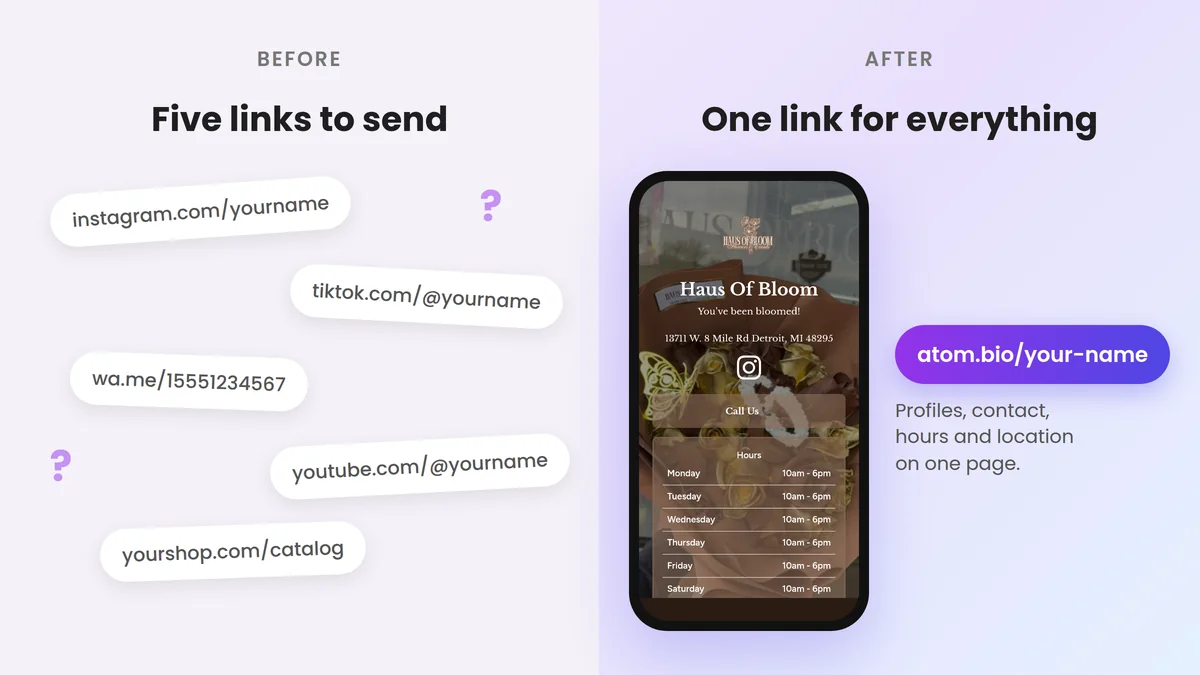
Do you have Instagram, TikTok, WhatsApp, YouTube, a portfolio and a website? Sending every URL separately is slow and makes it harder for people to choose where to find you.
The easy fix is to keep all social media links in one place. With atom.bio (that's our tool) you create one page for your profiles, content, products and contact options, and then share a single URL everywhere. If the format is new to you, start with our guide to creating a link in bio page.
Your page can bring together Instagram, TikTok, WhatsApp, your shop, your newsletter and anything else that matters. Instead of sending five links, you send one.
A real example: the music duo Winding Roots uses one atom.bio page for their social profiles and the platforms where you can listen to them: atom.bio/windingrootsduo.
Why put all your socials in one link?
One link is easier to share and easier for people to understand. It helps you:
- Keep every platform in one place: people pick where they want to follow you.
- Send visits where you want them: your newest video, your shop or your booking page goes first.
- Look tidy and easy to find: one short address instead of a list of long URLs.
- Save time: when something changes, you update one page instead of every bio.
How to create one link for all your social media
You don't need technical skills or a paid plan. You can create your free page on atom.bio in a few steps:
- Gather your links: social profiles, WhatsApp, email, portfolio and anything else.
- Sign up for free: create your atom.bio account. We don't ask for a card.
- Design your page with your colors, icons, photos and galleries.
- Add your links: as many as you need, with social icons for your profiles.
- Add useful blocks: products, a contact form, reviews, a map and more.
- Choose your address: something easy to remember, like atom.bio/your-name.
- Share your link: in your bios, messages and printed materials.
What to put on your all-in-one social link
A page with every link you have is not automatically a good page. Order it by what you want people to do:
- Your main action first: your shop, booking page, latest launch or a WhatsApp button for orders.
- Your social profiles as icons: Instagram, TikTok, YouTube, Facebook, LinkedIn, X. Icons take less space than one button per network.
- Your latest content: a new video, podcast episode or article.
- Ways to contact you: email, phone, a contact form or a Telegram chat.
Keep it to around 5 to 7 buttons, use clear labels ("Book a session" beats "Click here") and check your page statistics once a month to drop the links nobody taps. For ideas, see real examples of pages with multiple links.
One QR code for all your social media
Your atom.bio page comes with its own QR code, for free. When someone scans it, your page opens with all your profiles on it, so one printed code covers Instagram, TikTok, WhatsApp, YouTube and anything else you add. If you change a link on your page later, the printed code keeps working, because it always opens your page.
To get your QR code:
- Open your page in the atom.bio editor.
- Tap Share your page.
- Choose Get a QR code to share your page and download the image.
- Scan it with another phone before you print it.
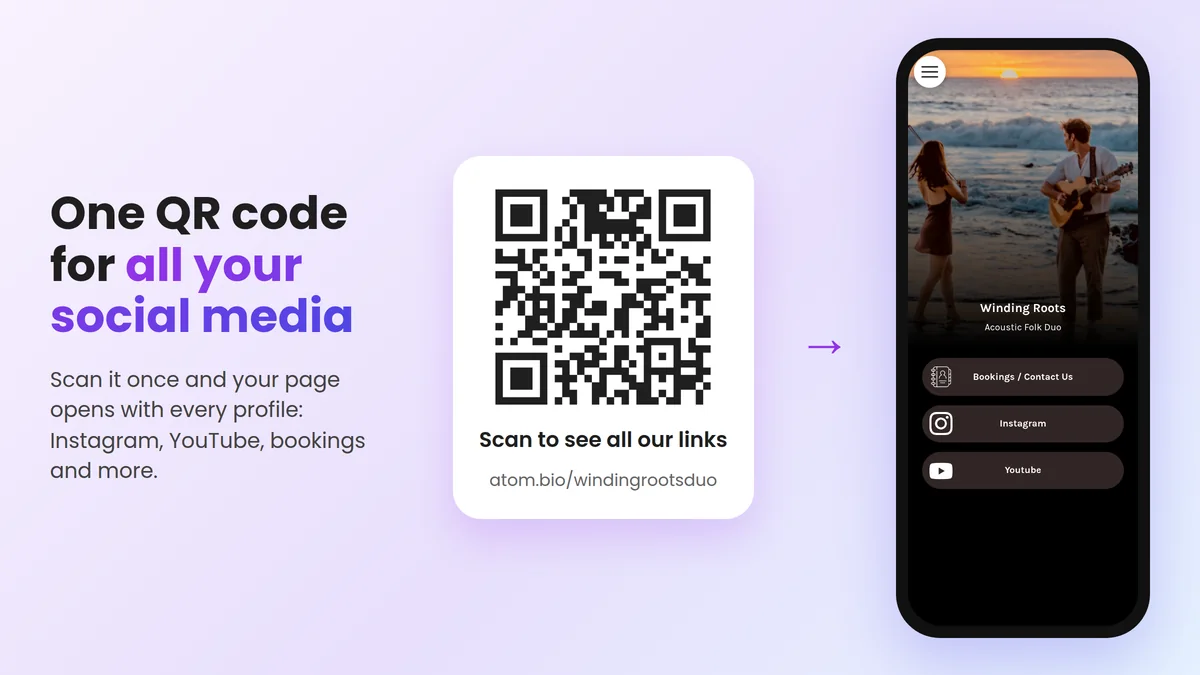
Print it on business cards, flyers, packaging, your shop counter or a table stand, with a short line like "Scan to follow us". Each scan counts as a visit to your page, and in the Data tab it shows up under Direct link or QR. If you only need a QR code for one single link, like a PDF or a booking page, use our free QR code generator. For tips on size and placement, read how to share your link with a QR code.
Can I link my social media accounts to each other?
Partly. Instagram and Facebook can be connected through Meta's Accounts Center, so you can share posts across both. Most networks also let you add one or a few website links in your bio. But no setting joins all your networks together. That is why most people use one page with all their profiles and put that page's link in every bio: when you change something, you update one page instead of six profiles.
Why choose atom.bio?
We built atom.bio so anyone can have this kind of page for free, and more than 1 million users have signed up so far.
- Free, with every feature: unlimited links, social icons and all the blocks. Free pages show small ads; Premium removes them for $3.99/month or $29/year.
- Your own look: colors, fonts, button styles, background images and your atom.bio/your-name address.
- More than a list of links: products, a contact form, Google Maps, reviews and click statistics.
- Easy to update from your phone whenever your content or plans change.
"Easy to use and super practical for creators: all our links in one place." Nancy Febrillet, atom.bio/nancy (translated from Spanish)
Comparing tools first? See our guide to the best Linktree alternatives.
Where to share your single social link
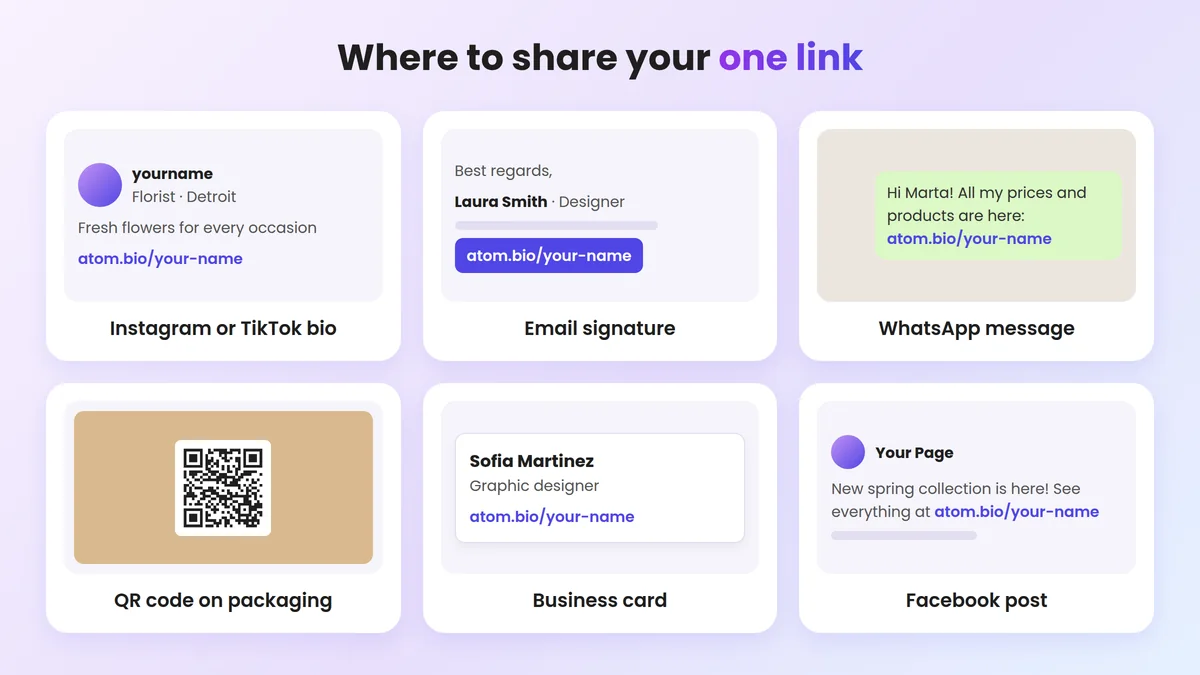
Put your one link everywhere people look for you:
- Your Instagram and TikTok bios
- Your WhatsApp Business profile
- Digital or printed cards, with the QR code of your page
- Stories, email signatures, groups and more
For a longer list, with tips for each platform, see where to share your link in bio.
FAQ
How do I put all my social media links in one place for free?
Create a free link in bio page, for example with atom.bio. Add a button or icon for each profile (Instagram, TikTok, YouTube, WhatsApp, your website), pick a short address like atom.bio/your-name and share that single link in every bio, chat and email signature.
Can I make one QR code for all my social media?
Yes. Put all your profiles on one free atom.bio page and use that page's QR code: one scan opens the page with every profile on it. In the editor, tap Share your page, choose Get a QR code to share your page and download it.
Can I link all my social media accounts to each other?
Partly. Instagram and Facebook can be connected through Meta's Accounts Center, and most platforms let you add one or a few links in your bio. But there is no setting that joins every network, so the simplest way is one page with all your profiles and that page's link in each bio.
What should I put on my all-in-one social link page?
Put your most important action first (shop, booking or WhatsApp), then your main social profiles as icons, then your latest content. Keep it to around 5 to 7 buttons so visitors can decide quickly.
Is there a free app to put all my links together?
Yes. atom.bio is free with unlimited links, social icons, design customization, analytics, contact forms and WhatsApp buttons. Other options include Linktree and Bio.link; see our comparison of Linktree alternatives.
Create your social hub now
Create your link in bio page in minutes and give people one clear place to find your content and contact you.
More than 1 million users have signed up to atom.bio to keep their links in one place. It's free, so you can try it in a couple of minutes.