Linkin.bio is Later’s link in bio tool. It turns your Instagram grid into clickable posts, so it fits best if you already schedule posts with Later. Linktree is the classic list of links: unlimited links for free, but the Linktree logo stays on free pages. atom.bio gives you unlimited links, full design control and analytics for free; free pages show small ads, which Premium removes for $3.99/month.
I put Linkin.bio and atom.bio through the same test side by side, and I added Linktree to the comparison too. One honest note first: this post lives on atom.bio’s blog. I’ve tried to be fair, and I tell you where Linkin.bio wins.
Linkin.bio vs Linktree vs atom.bio at a glance
| Linkin.bio (Later) | Linktree | atom.bio | |
|---|---|---|---|
| Best for | Instagram-first creators who use Later | A simple list of links | Creators and small businesses who want more than links |
| Links on the free plan | Unlimited buttons + 1 link per social network | Unlimited | Unlimited |
| Design on the free plan | Colors, fonts and button styles | Themes | Full control: colors, fonts, buttons, your own image or gradient backgrounds |
| Clickable Instagram grid | Yes | - | No |
| Extras | Featured banner, links scheduled with your posts | Social icons | Contact form, WhatsApp chat bubble, Google Maps, products, reviews, QR code |
| Analytics | Up to 3 months of click data on free | Basic | Views, clicks, traffic sources, top links, CSV export |
| Branding on free pages | - | Linktree logo stays | Small ads |
| Paid plans | Later Starter $16.67/mo, Growth $33.33/mo, Scale $73.33/mo (billed yearly) | Starter ~$8/mo, Pro ~$15/mo, Premium ~$35/mo | Premium $3.99/mo or $29/yr; Premium + Domain $96/yr |
Linkin.bio vs Linktree: what’s the difference?
The big difference is what each tool is built around. Linkin.bio is built around your Instagram feed. Your page shows a mini version of your grid, and each post can send people to its own link (up to five links per post). It lives inside Later, so your links can go live at the same time as your scheduled posts.
Linktree is built around a list of links. You don’t need a scheduling tool to use it, and the free plan gives you unlimited links, social icons, themes and basic analytics. The Linktree logo stays on free pages; removing it needs the Pro plan (around $15/month in the US) or Premium. If you’re new to it, here’s our guide to what Linktree is and how it works.
So: if you sell through your Instagram photos and already pay for Later, Linkin.bio makes sense. If you only want one link that lists everything, Linktree is simpler. And if you want a page that does more than list links, without paying monthly, keep reading.
Looking for a Linkin.bio alternative?
atom.bio
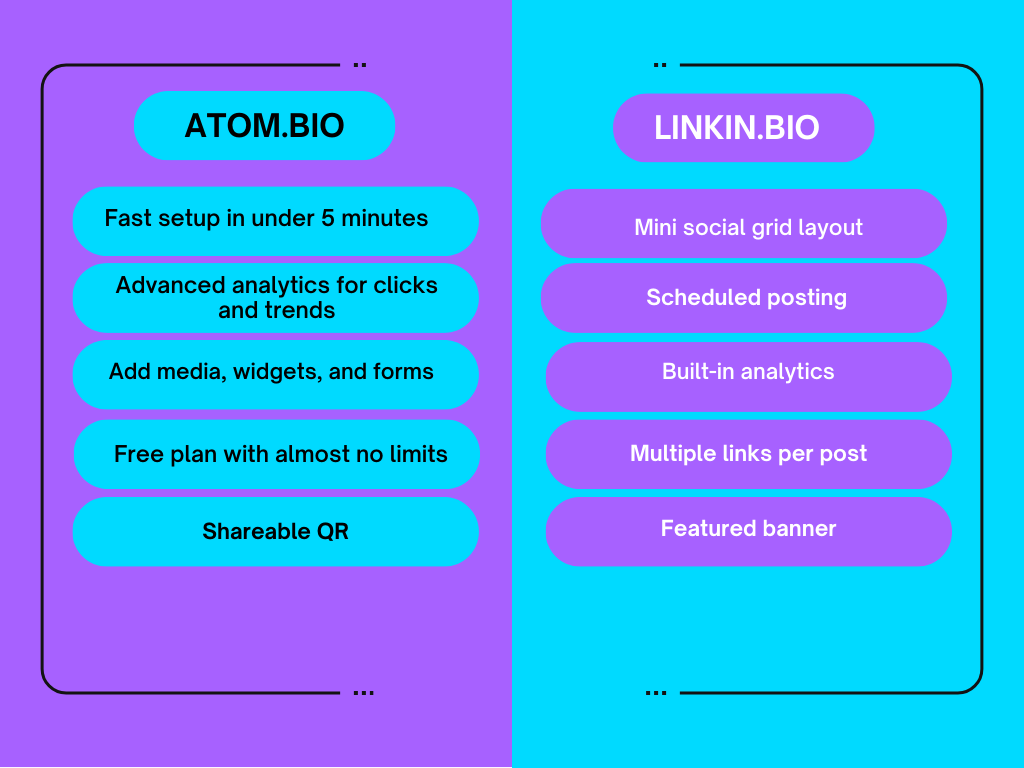
atom.bio is a free link in bio and one-page website builder. More than 1 million users have signed up. What I liked most is how painless it is: you sign up, add your links, pick a design and you’re done. My page looked polished in a few minutes, and it works the same on a phone as on a laptop.
You get unlimited links, analytics and all the blocks on the free plan. The one catch: free pages show small ads. Premium removes them for $3.99/month or $29/year.
If you want to compare more tools than these three, we keep a bigger list of Linktree alternatives.
Linkin.bio by Later
Linkin.bio is Later’s link in bio tool, built with Instagram-first creators in mind.
Its biggest trick is that your Linkin.bio page mirrors your social grid. Tap a post thumbnail, and visitors jump straight to the linked page. That makes it super handy for shops, photographers, and anyone who sells through visuals.
Later's free plan gives you unlimited buttons, one link per social network, more control over colors, fonts and button styles, and up to 3 months of click data. The layout looks clean without much effort.
Later has also added a few practical extras. A featured banner sits at the top for promos or important updates. Link scheduling ties into Later’s post scheduler, so your links can go live at the same time as your posts. Those two features make timed promos easy.
Linkin.bio works best if you already use Later and want your bio to match your feed. If you want your page to do more than links, like a contact form, a map or a WhatsApp cart, it’s not the best fit.
Features
atom.bio features
Both tools go beyond a plain list of links, and I was itching to test them. Here’s what atom.bio gives you, all on the free plan:
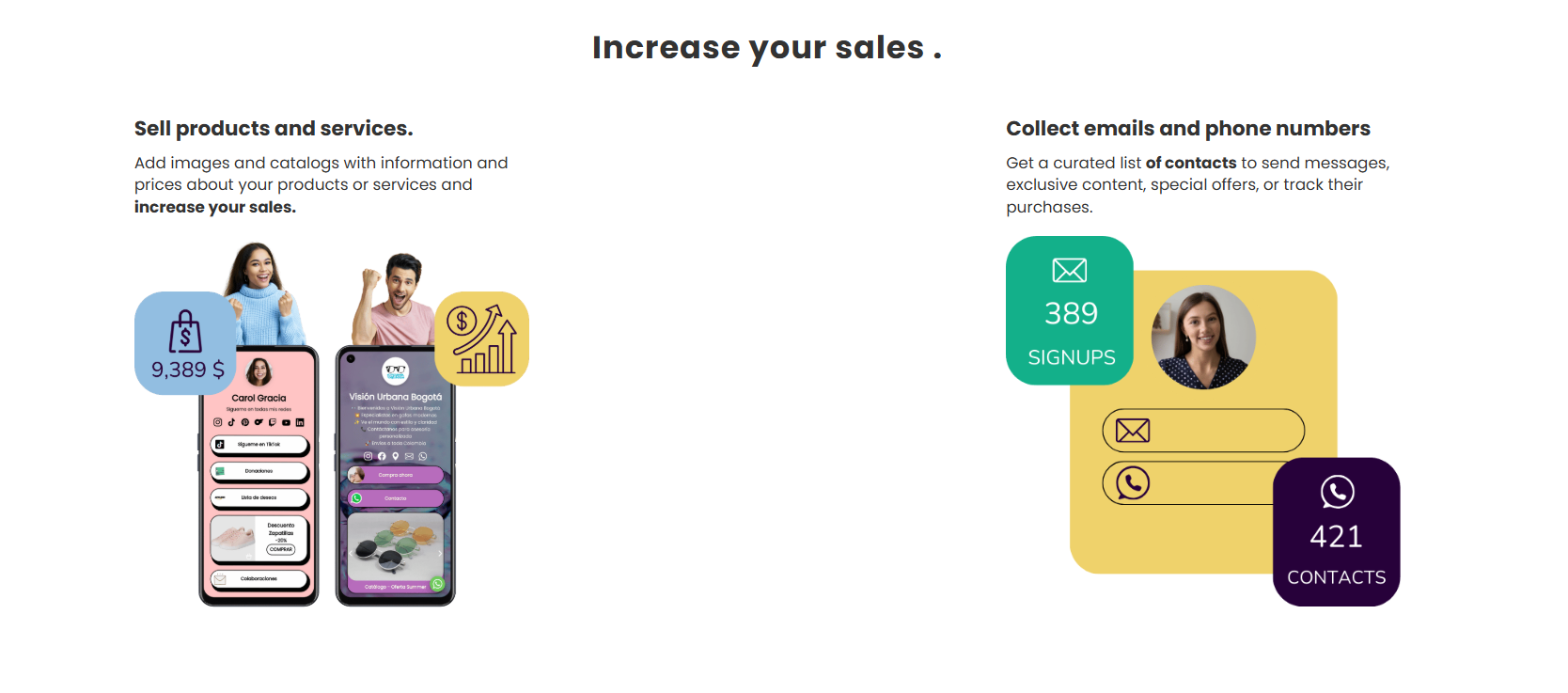
- Unlimited links: add as many as you want, no extra charge.
- Analytics: page views, link clicks, traffic sources and your top links, with a CSV export.
- Brand-friendly design: background images or gradients, your own colors, fonts, button styles, icons and link highlight animations. Your page feels like you.
- Media and files: product catalogs, photo carousels, YouTube videos and downloadable files like a PDF menu.
- More than links: a WhatsApp chat bubble, Google Maps, products with a WhatsApp order button, and a contact form that collects emails and phone numbers.
- QR code included: every page gets its own QR code, handy for sharing your page offline.
It’s one of the most customizable link in bio tools I’ve tried, thanks to its page blocks and media options. I especially liked the link highlight animations: they make the most important link stand out right away.
Another neat touch is the QR code. I used it in a campaign and it worked perfectly.
Linkin.bio features
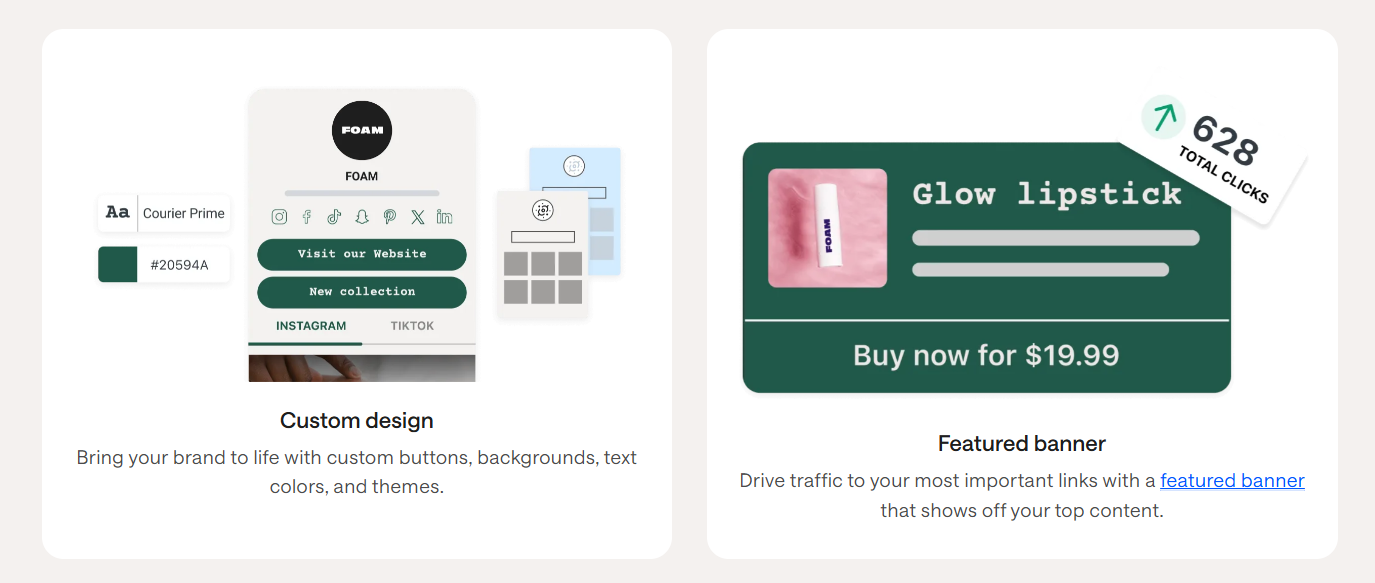
Linkin.bio leans into clean visuals and smart integrations. The big draw is that your Instagram grid becomes clickable, so your posts take people somewhere.
- Visual feed integration: your grid turns into a mini website. Tap a post, land on the right page.
- Free plan design: colors, fonts and button styles.
- Free plan links: unlimited buttons plus one link per social network.
- Featured banner: a banner at the top of your page for promos or must-see updates.
- Scheduling integration: Linkin.bio works with Later’s scheduler, so posts and links go live together.
- Multiple links: you can attach up to five links to a single Instagram post. Great if you show several products in one go.
- Social link icons: quick links to your other channels like TikTok, X and LinkedIn.
- Analytics and tracking: see which posts get clicks and which ones are just taking up space.
Scheduling was my favorite feature: no extra clicks, no last-minute edits. The free plan looks clean and professional; the bigger extras come with Later’s paid plans, which are mainly about scheduling.
Ease of use
atom.bio
atom.bio’s features feel advanced, but the editor stays beginner-friendly. Everything is easy to find, so it works for complete beginners and for people who like to tweak every detail.
Fast setup: I built my page in under five minutes.
Easy customization: changing colors, button designs or adding blocks is quick, and the settings are easy to spot.
Adding links: paste the link, save, move on.
Linkin.bio
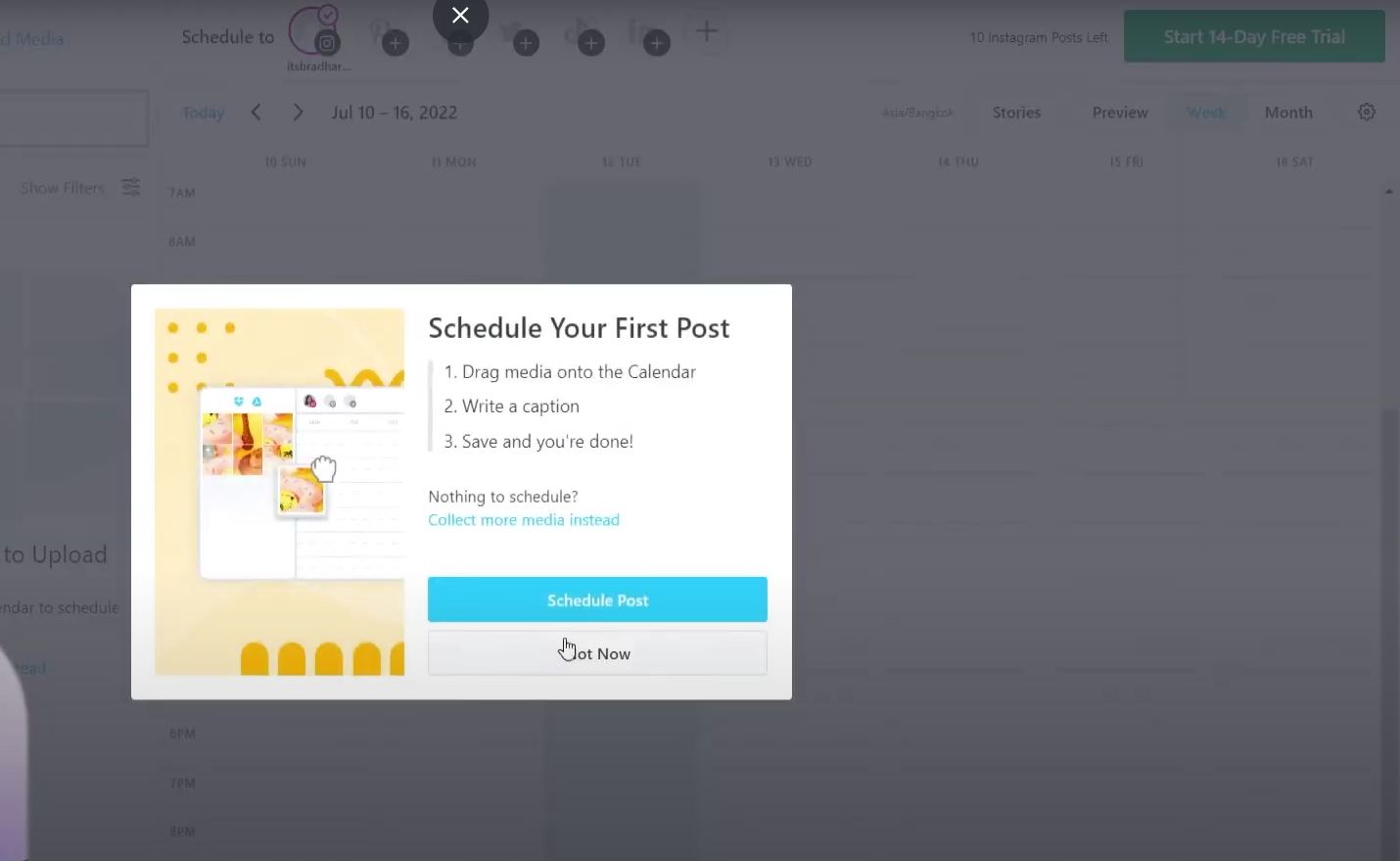
Linkin.bio isn’t hard to get started with, but there are a few extra steps. You need a Later account first, since Linkin.bio is one of the tools bundled into Later (a social media scheduling and management platform).
- Once you’re in, the basics are easy. Pick a template, customize your buttons, add your social links, and you have a working page.
- Linking your featured Instagram posts takes a different route than the usual link in bio setup. It’s a little less straightforward, but the result is a feed that looks polished.
Linkin.bio has things atom.bio doesn’t, like clickable Instagram grids. They make the page more dynamic, but setup goes a bit beyond the basics.
Customization
atom.bio
atom.bio gave me plenty of room to play until my page felt like me. It’s flexible without being overwhelming, which makes customizing fun instead of a chore.
- Layout and colors are 100% customizable. Edit button designs, fonts, colors, and add blocks like contact forms or social icons.
- Media is easy to add. Images, galleries and YouTube videos.
- Unlimited links. Paste and go.
- Contact form. Visitors can leave their email, phone number or a message right on your page, which is nice if you’re growing a brand.
- Your own background and layout. Use your own image as a background and move the blocks around until the page looks like you.
Linkin.bio
Linkin.bio gives you some options, though it’s not nearly as flexible as atom.bio.
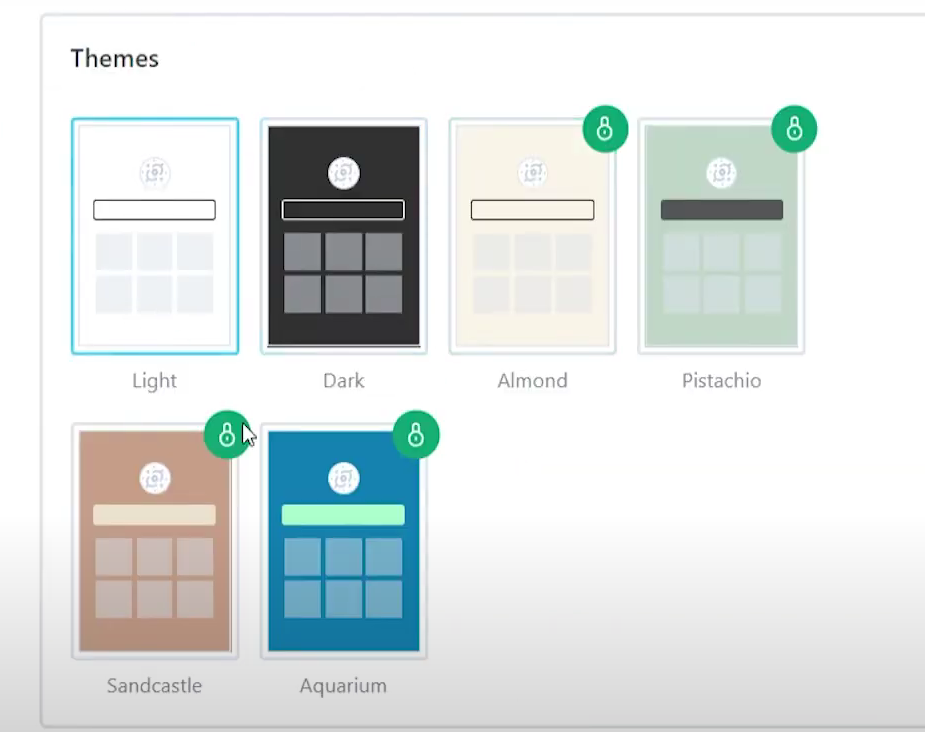
- Colors and fonts: the free tier lets you change colors, fonts and button styles.
- Button and color tweaks: you can play with buttons and colors a bit. It accepts hex codes, so you can match your brand palette exactly.
- Layout options: you can shuffle the layout, though freedom is limited. The mini Instagram grid is the standout: you handpick which posts show up.
- Scheduled posts: attach links while scheduling posts through Later, so you plan your content and your links in one go.
Heads-up: some advanced features, like longer analytics history, are on Later’s paid plans.
Pricing
atom.bio pricing
On atom.bio, the free plan includes unlimited links, analytics, blocks, media, contact forms, QR code and Google Maps. Free pages show small ads. Premium costs $3.99/month or $29/year, removes the ads and atom.bio banners, and emails you when someone fills in your contact form. Premium + Domain is $96/year and adds your own domain (yourname.com), with registration included for the first year. Full details are on the atom.bio pricing page.
Linkin.bio pricing
Linkin.bio lives inside Later, so its pricing is Later’s pricing. The free tier gives you the basics: a clickable Instagram grid, buttons and scheduling integration, but few customizations and limited analytics.
Later’s Starter plan is $16.67/month billed yearly, with more scheduling freedom and stronger analytics. Above that are Growth ($33.33) and Scale ($73.33), which add social media management tools that make sense if you run several accounts or campaigns.
If all you need is a link in bio, paying for a whole Later plan can feel like overkill. If you already use Later for scheduling, Linkin.bio comes with it.
Linktree pricing
For comparison, Linktree’s free plan has unlimited links, and the paid plans are Starter (~$8/month), Pro (~$15/month) and Premium (~$35/month) in the US, cheaper if you pay yearly. Hiding the Linktree logo needs Pro or Premium.
So, which link in bio tool is best for you?
For most creators and small brands, I’d pick atom.bio. It has the most features on the free plan, lots of design freedom, and beginners can set it up in minutes. The trade-off is the small ads on free pages.
Linkin.bio lives inside Later, so to get its best features you subscribe to the whole platform. I enjoyed curating my page and highlighting posts. If you already use Later, it’s a slick experience.
Linktree is the simple middle ground: unlimited links for free, but with its logo on your page and fewer extras.
If you’re not ready to commit money, atom.bio is the safer place to start. Want to see how it stacks up against other platforms? Read our guide to the best link in bio tools, or our tips for a link in bio for Instagram.
FAQ
Is Linkin.bio better than Linktree?
Linkin.bio is better if you already schedule Instagram posts with Later and want your link in bio page to look like your feed, with clickable posts. Linktree is better if you just want a simple list of links: its free plan has unlimited links, social icons, themes and basic analytics.
Is Linkin.bio free?
Yes. Linkin.bio is included in Later's free plan, with unlimited buttons, one link per social network and up to 3 months of click data. Paid Later plans add more features and are mainly about scheduling posts.
Do I need a Later account to use Linkin.bio?
Yes. Linkin.bio is one of the tools bundled into Later, a social media scheduling platform, so you register for Later first and build your Linkin.bio page from there.
What is a good free Linkin.bio alternative?
atom.bio is a free alternative with unlimited links, full design control, analytics, contact forms, a WhatsApp chat bubble, Google Maps and a QR code for your page. Free pages show small ads; Premium removes them for $3.99 per month or $29 per year. It does not turn your Instagram grid into clickable posts, so if that is what you need, Linkin.bio is the better fit.