AllMyLinks is the quicker, simpler link in bio: paste your links and your page is live in a couple of clicks, but design and analytics are basic. atom.bio takes a few minutes more and gives you full design control, analytics with traffic sources, and extras like contact forms and WhatsApp. Both are free to start; atom.bio’s free pages show small ads.
AllMyLinks (allmylinks.com) is known for its straightforward setup and built-in monetization features. atom.bio, the tool behind this blog, is a free link in bio and one-page website builder that more than 1 million users have signed up to. I tested both side by side to see how they really perform.
AllMyLinks vs atom.bio at a glance
| AllMyLinks | atom.bio | |
|---|---|---|
| Setup | Extremely quick, very little guidance | Under 5 minutes, guided step by step |
| Design | Basic colors, profile photo, uniform layout | 100% customizable: fonts, colors, buttons, backgrounds, animations |
| Blocks | Mainly links | YouTube, contact form, WhatsApp, Google Maps, products, reviews, files |
| Analytics | Basic view and click counts | Views, clicks, traffic sources, top links, CSV export |
| QR code | Yes | Yes |
| Price | Free | Free (small ads); Premium $3.99/mo or $29/yr |
| Best for | Casual, personal pages | Creators and businesses building a brand |
Ease of use
Ease of use is always one of the first things I look at. Every creator has a different level of tech skills, so a tool should be clear and have little to no learning curve.
Ease of use: atom.bio
atom.bio strikes a good balance between simple and flexible. It’s beginner-friendly, but it doesn’t hold back on customization.
In under five minutes I had a personalized page with a custom background, profile photo, buttons, fonts and colors that matched my brand. atom.bio guides you step by step, so the setup feels quick and stress-free.
Ease of use: AllMyLinks
Creating a link in bio page with AllMyLinks is very fast. After registering, I only went through two pages and a couple of clicks before my page was live. Paste your links, hit save, and you’re ready to share.
The interface is clean and minimal, which makes it perfect for beginners or anyone who wants something simple.
The trade-off: AllMyLinks doesn’t give much onboarding or step-by-step guidance. If you like a guided setup, you might wish for a little more direction.
Customization and design
There are usually two types of people who need a link in bio page: those who want something quick, and those with a brand that needs personality. Most of us are the second type. You want your page to stand out and be remembered, not blend in.
That’s why customization matters. A good link in bio tool lets you control fonts, colors, buttons and backgrounds, and still keeps the setup easy.
Customization and design: atom.bio
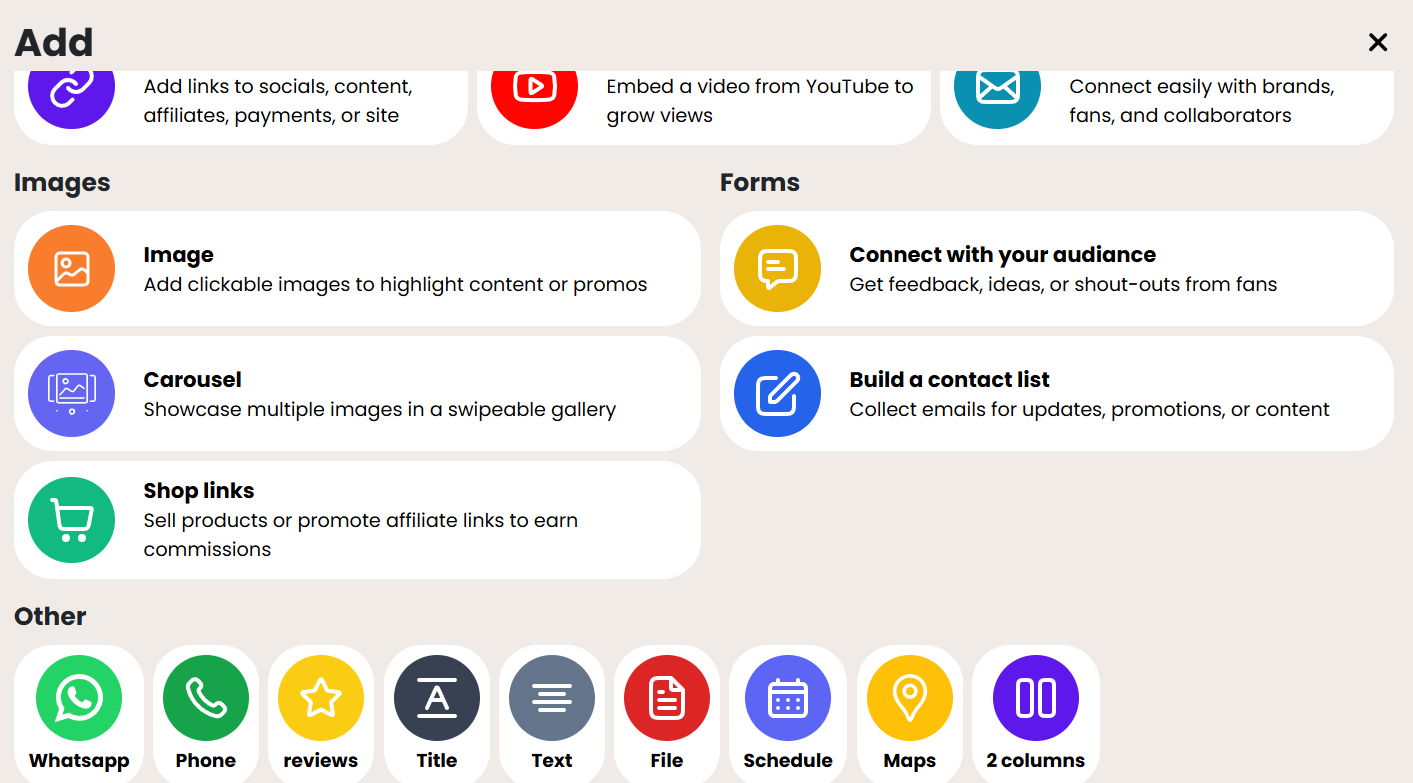
atom.bio is a great fit if you want a page that reflects your brand. You can customize almost every element, so your page doesn’t look like everyone else’s. And it’s all on the free plan.
- Fonts: several fonts to match the look you have in mind.
- Brand colors: stay consistent with your logo and marketing materials.
- Button styles and layout: style buttons, forms and blocks, and arrange them how you like.
- Backgrounds: gradients, a single color, stock images or your own images.
- Animations: highlight animations that draw attention to your key link.
- YouTube videos and images: show them directly on your page.
- More blocks: a contact form, WhatsApp chat bubble, Google Maps, products and a reviews block. See all atom.bio page blocks.
Customization and design: AllMyLinks
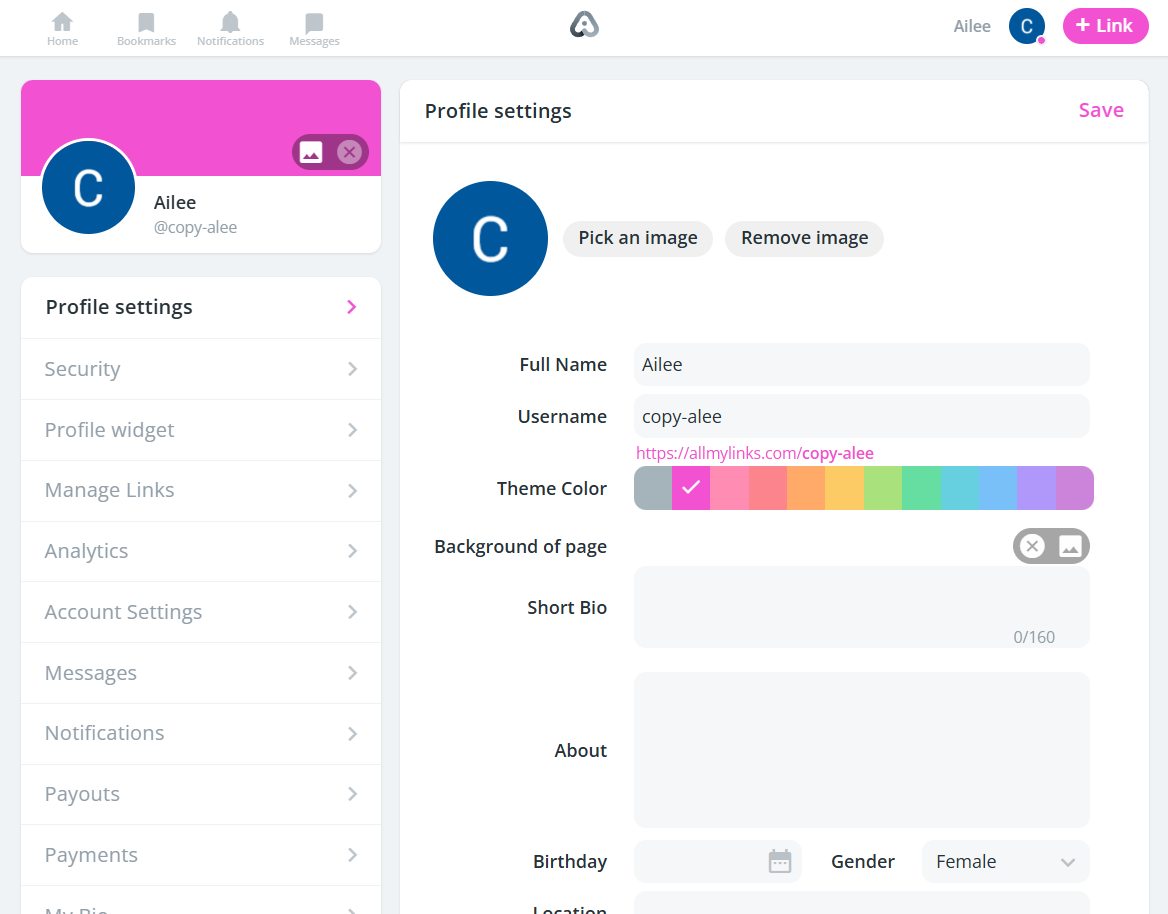
AllMyLinks has some limits, but designing a page is about as easy and fast as it gets.
- Basic color changes: you can adjust your theme and background color, but the choices are minimal.
- Profile photo: you can add your photo or logo, but beyond that there’s little branding flexibility.
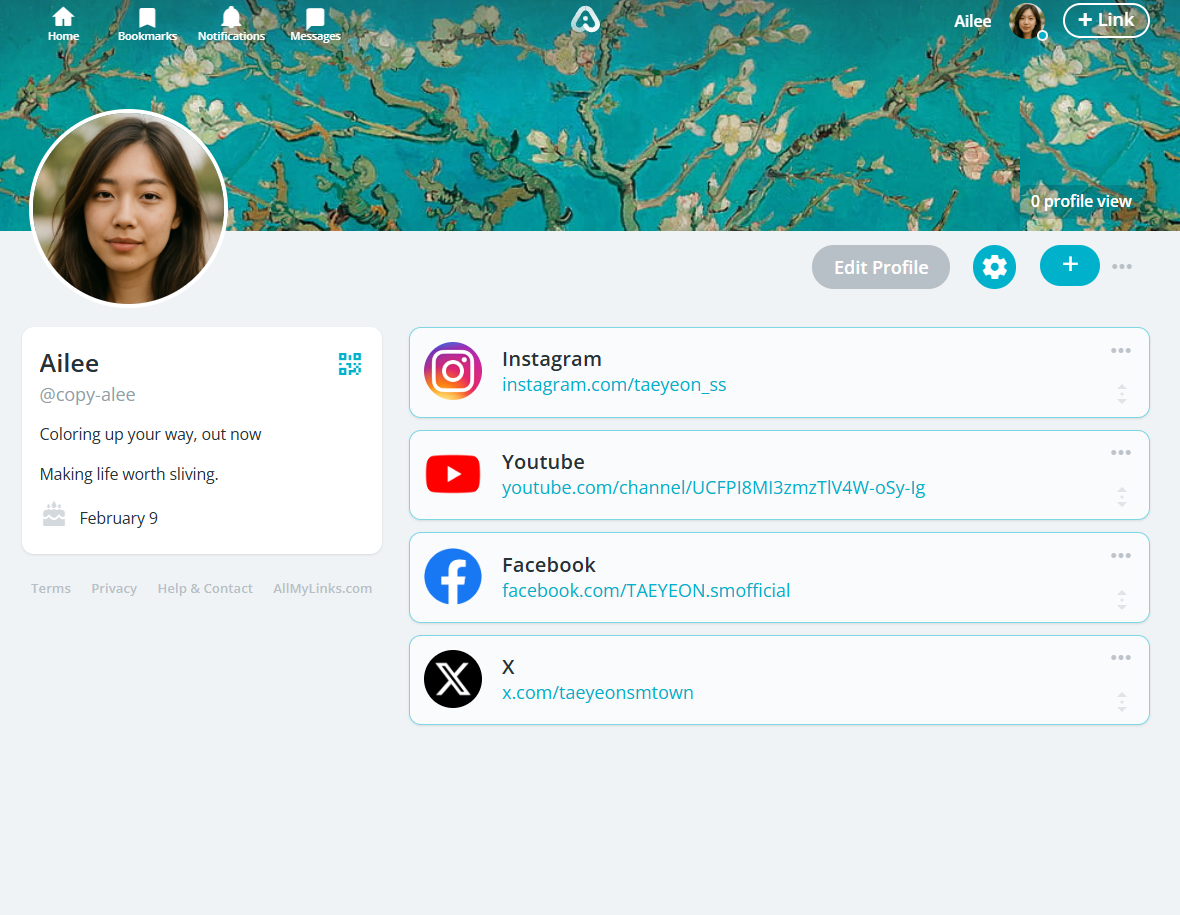
- Uniform layout: most AllMyLinks pages look nearly identical, which makes it harder to stand out.
- Good for casual use: perfect if you just need a quick page for your links.
- Drawback for businesses: if you’re building a professional identity, the lack of customization may feel restrictive.
One thing both share: a QR code for your page, handy for printed materials.
Analytics and insights
How much analytics you need depends on you. But if you want to grow a business or personal brand, you need to see which links work and where your visitors come from.
Analytics: atom.bio
atom.bio’s analytics are free and cover what most creators and businesses need:
- Page views and link clicks: how many people visit and what they tap.
- Top links: which links get the most clicks.
- Traffic sources: where your visitors came from. Instagram? TikTok? Google? You’ll know.
- Date ranges: compare days, weeks or months.
- CSV export: download your data for your own reports.
- Facebook Pixel and Google Analytics: connect them if you run ads or want deeper tracking.
Analytics: AllMyLinks
Like most of its features, AllMyLinks keeps analytics minimal. It’s fine if you only need the basics, like how many people viewed your page.
- Click counts: how many times your page and links were clicked.
- Simple overview: a quick snapshot, without much context.
- Best for casual users: fine if you don’t need detailed insights.
Pricing
atom.bio pricing
atom.bio’s analytics and all its blocks are on the free plan. Free pages show small ads. The optional upgrades are Premium at $3.99 per month (or $29 per year), which removes the ads and emails you when someone fills in your contact form, and Premium + Domain at $96 per year for your own domain. See the atom.bio pricing page for details.
What I liked is that it doesn’t feel stripped down the way many free tools do. It honestly made me forget I was using a free tool.
AllMyLinks pricing
I could set up and publish my AllMyLinks page without paying anything. The catch is that “free” also means basic: no in-depth analytics, few branding options and few integrations.
That could be a problem if you plan to grow, because AllMyLinks is pretty limited. But if you’re a casual creator who wants a simple page without spending a cent, you might like it.
So, what’s the verdict?
It always comes down to what you need. Some people want something quick and simple; others want design control and more features.
Here there’s a twist: both AllMyLinks and atom.bio are free to start. The difference is what you get. On atom.bio’s free plan I still got full design control, analytics and lots of blocks. The only thing you put up with is small ads on free pages.
If you want a link in bio that looks professional and leaves room to add more later, I’d pick atom.bio. If you want the fastest possible list of links, AllMyLinks does the job.
Want to compare more tools side by side? Read our guide to the best link in bio tools.
Frequently asked questions
Is AllMyLinks really free?
I could build and publish my AllMyLinks page without paying anything. The trade-off is that its features are basic: few design options and simple analytics. It works best for casual creators who just need a quick place to share links.
Does atom.bio have a paid version?
atom.bio is free, and its design options, blocks and analytics are all included at no cost. Free pages show small ads. The optional upgrades are Premium at $3.99 per month (or $29 per year), which removes the ads and emails you when someone fills in your contact form, and Premium + Domain at $96 per year, which adds your own domain.
Which platform is better for creators and influencers?
atom.bio is generally the better choice for creators and influencers who care about their brand, because of its design options, blocks and analytics. AllMyLinks is better suited to casual users who only need the basics.
Which tool is faster to set up?
AllMyLinks is slightly faster to set up because it is very minimal: my page was live after two screens and a couple of clicks. atom.bio takes a little longer because of the extra design options, but I still built a full page in under five minutes.
Which is best for growing a brand long term?
atom.bio is the stronger option for growing a brand, because it gives you analytics with traffic sources, full design control, and blocks such as contact forms, products, WhatsApp and reviews.